Eventure vodič za korisnike
Kako značajke rade, jednostavnim jezikom, za ljude koji ih vode
Dio I - Počnite ovdje
Poglavlje 1
Kako je aplikacija složena
Svaka stranica u prijavljenom dijelu Eventurea građena je od iste šačice područja - zaglavlje, ponekad bočna traka, zaglavlje stranice i sam sadržaj. Čim znate gdje je koje, isti gumb nalazite na potpuno različitim stranicama bez traženja.
Ovo je poglavlje karta, ne značajka - vratite se k njemu kad god stranica izgleda nepoznato.
Gornja traka
Traka preko vrha svake stranice uvijek je ista. Lijevo, odmah iza logotipa, je polje Pretraga (opisano dolje), a zatim vas glavna navigacija vodi u javne dijelove stranice - Događaji, Organizacije, Sadržaj i ostalo. Desno vam je nekoliko stvari uvijek pri ruci, gdje god bili: gumb + Dodaj za stvaranje nečeg novog, zvono za obavijesti, kuverta za poruke, košarica kad god vam je neka trgovina otvorena - njezina značka broji što ste pokupili, a padajući popis nabraja stavke s poveznicom na blagajnu i poveznicom Isprazni košaricu - te vaš avatar, koji otvara dolje opisani izbornik računa.


Pretraga
Polje Pretraga uz logotip otvara jedan okvir za pretraživanje svega. Kliknite ga, pritisnite Ctrl K (na Macu Cmd K) ili pritisnite / bilo gdje gdje ne tipkate. Na užem zaslonu polje se smanji u povećalo; na mobitelu je povećalo gore lijevo, odmah iza logotipa i gumba izbornika.
Kad ste prijavljeni, rezultati dolaze u dva dijela. Gore, u obojenom pojasu Vaš radni prostor, je ono što vam pomaže u radu: Akcije (stvorite događaj, proizvod, račun - isti popis kao + Dodaj), Idi na (vaše stranice i postavke, sve do jedne kartice postavki - upišite "privatnost" ili "računi" i skočite ravno tamo; dijakritici nisu važni, a rade i svakodnevne riječi) i Moj rad (vaše organizacije, događaji, sadržaji, tečajevi, ponuda, projekti, otvoreni zadaci i zajednice, uključujući skice - otvaraju se tamo gdje ih uređujete, ne na javnoj stranici). Ispod njega Otkrijte na Eventureu nabraja javne događaje, aktivnosti, organizacije i ostalo.
Oznake iznad polja sužavaju pretragu: Moj rad pretražuje samo vaš radni prostor, svaka od ostalih jednu vrstu rezultata (Alt 1, Alt 2 i tako dalje prebacuju između njih, a zadnji izbor se pamti). U blizini drži rezultate blizu vas: koristi vašu lokaciju ako je dopustite, inače grad vaše organizacije, i pokazuje koji je grad odabrao. Počnite s > da vidite samo akcije i stranice - brza naredbena linija. S praznim poljem dobivate brze akcije i stranice koje ste nedavno otvorili iz pretrage. Na širokom zaslonu kartica pregleda s desne strane prikazuje odabrani rezultat - sliku, datum, mjesto i kratak opis - prije nego što ga otvorite.
Gumb + Dodaj
Gdje god bili, + Dodaj najbrži je način da počnete nešto novo. Grupiran je u dva reda: opće stvari koje može stvoriti svatko - događaj, proizvod, uslugu, sadržaj, galeriju, tečaj - i, vodite li organizaciju, drugu grupu za samu organizaciju: aktivnosti, zajednice, kampanje, ugovore, prostore, račune. Poneke se stavke pojave tek kad ih otključate - vidi "Izbornici koji rastu s vama" dolje. Na mobitelu izbornik klizne prema gore s dna zaslona, s istim grupama u dva prostrana stupca; zatvorite ga dodirom izvan njega ili na traku na vrhu, ili ga povucite prema dolje.


Izbornik vašeg avatara
Kliknite svoj avatar za dvije stvari odjednom. Gornja je polovica osobna. U bloku s vašom fotografijom, imenom i e-poštom, fotografija i ime svaki su za sebe poveznica na vaš profil - e-pošta ispod njih samo je natpis - a mali zupčanik odmah iza vašeg imena otvara postavke računa (zavrti se dok prelazite mišem), pa nijednom ne treba vlastiti redak u izborniku. Desno stoje jedan uz drugi gumb jezika i prekidač teme, razdvojeni tankom crtom: jedan klik na prekidač odgurne sunce na drugu stranu, gdje postaje mjesec, i na mjestu mijenja svijetlu i tamnu, a gumb jezika - zastava vašeg trenutnog jezika s njegovim kodom - otvara mali izbornik sa svim jezicima stranice, sa zastavom i punim imenom. Zajednica u svom graditelju stranice može odabrati drukčiji izgled tog gumba - red zastava, kodove jezika jedan uz drugi ili zastavu s malim padajućim izbornikom - pa na nekim stranicama izgleda drukčije, ali uvijek mijenja jezik. Ispod razdjelnice je blok vaše organizacije. Nakon njezina imena slijede tri male ikone - jedna koja otvara javnu stranicu organizacije u novoj kartici, vaš paket i vaša uloga u njoj (zadržite pokazivač miša na bilo kojoj za objašnjenje) - te, ako vodite više od jedne organizacije, strelica koja otvara preklopnik s ostalima. Ispod toga, pod malim naslovom Brze radnje, je kratak popis odjeljaka koje najviše koristite - Nadzorna ploča, Ponude, Narudžbe, Računi, Aktivnosti, Sadržaj - a slijede dva retka pune širine, Paketi & dodaci i graditelj web stranica. To je najbrži način prelaska između "mene" i "organizacije koju vodim" - izaberite drugu dok ste na jednoj od njezinih stranica, recimo nadzornoj ploči ili Postavkama, i slijećete na istu stranicu za novoizabranu organizaciju, umjesto da izgubite mjesto. Kad pregledavate vlastitu stranicu zajednice, ovaj izbornik posuđuje i djelić boja i stila kutova te zajednice, postavljenih na kartici Izgled, tako da se uklapa gdje god se nalazite.
Još niste prijavljeni? Isti gumb za jezik i prekidač teme tada stoje izravno u gornjoj traci, uz Prijava, pa jezik i svijetlu ili tamnu temu birate već prije prijave. Mali usklađeni par ikona teme i jezika stoji i uz redak autorskih prava na dnu svake stranice, ako ih trebate bez otvaranja izbornika. Odmah iznad zadnjeg retka izbornika je Prijavi povratne informacije - izaberite kategoriju (grešku, ideju za poboljšanje ili druge povratne informacije) i opišite je (oboje je obvezno). Snimka zaslona stranice na kojoj ste bili je izborna - ostavite prekidač uključen i sljedeći vam korak pokaže točno što je snimljeno prije nego se išta pošalje, s gumbom za ponovno snimanje ako se stranica promijenila; podaci o vašem pregledniku i eventualna zabilježena greška prilažu se automatski. Taj zadnji redak spaja zelenu traku Pozovi prijatelje, oboje dobivate kredite s kompaktnom crvenom ikonom za odjavu uz nju, pa odlazak sa stranice i pozivanje na nju stoje jedno uz drugo.


Bočna traka odjeljka Moje
Svaka stranica pod /my/... - Događaji, Sadržaj, Narudžbe i svako drugo poglavlje ovog vodiča - dijeli jednu bočnu traku. Na vrhu je organizacija u kojoj trenutno radite, s preklopnikom ako ih imate više. Popis je podijeljen u kratke grupe s vlastitim naslovima. Kao organizacija: Aktivnost (obavijesti, poruke), Ponuda (ponude, zajednice, aktivnosti, sadržaj, galerije), Poslovanje (prijave, narudžbe, računi, pretplatnici, kampanje, ocjene) i Suradnja (projekti, odobrenja, tim). Na osobnim stranicama: Aktivnost, Moje (vaše organizacije, zajednice, tečajevi, prijave, kupnje, ocjene), Suradnja (projekti, evidencija sati, odobrenja) i Račun (omiljeno, postavke, paketi, pozovi prijatelja). Alati koji su još u probnoj fazi nalaze se u zadnjoj grupi Osoblje, svaki s malom oznakom Osoblje. Polje za pretragu iznad popisa filtrira po imenu.
Planera nema u bočnoj traci: to je ikona kalendara u zaglavlju, uz zvonce obavijesti i omotnicu poruka. Crvena brojka na njoj broji vaše zakašnjele zadatke (mala narančasta točka znači da je nešto na redu danas). Kliknite je za brzu ploču s poljem za dodavanje zadatka za danas, onim što kasni, što je danas i što dolazi idućih 7 dana; kvačicom zadatak dovršite, a mikrofonom (žarulja iznad njega je vaša ideja) snimite ideju. Planer, Zadaci i Rutine dolje otvaraju pune stranice (Rutine samo ako imate taj alat). Ako je popis duži od zaslona, pomiče se unutar ploče, pa polje na vrhu i poveznice dolje uvijek ostaju na dohvat ruke. Kad radite kao organizacija, ikona se pojavi tek kad ta organizacija ima nešto s datumom, na primjer događaj, rezervaciju ili rok.
Kad u tom preklopniku odaberete jednu organizaciju, na nju se sužavaju i stranice s popisima - Događaji, Ponuda, Sadržaj, Računi, Pretplatnici, Kampanje, zajednice vaše organizacije, planer i ostale. Da kraći popis ne bi izgledao kao posao koji nedostaje, svaka od tih stranica tada desno ispod gumba stranice pokazuje malu oznaku Samo s nazivom organizacije. Kliknite njezin x i ponovno vidite sve organizacije.
Na telefonu ista bočna traka postaje izvlačna ladica, otvorena gumbom Izbornik uz naslov stranice.


Izbornici koji rastu s vama
Ne pokazuje se svaka značajka prvog dana. Napredni alati ostaju spremljeni dok niste spremni za njih - stvaranje prve stavke neke vrste trajno otkriva njezinu stavku izbornika. To je namjerno: dva administratora organizacija mogu imati stvarno različite bočne trake, svaku oblikovanu onim što su stvarno koristili. Ako nešto tražite i ne možete naći, prvu stavku stvorite iz izbornika + Dodaj prije zaključka da nedostaje.
Zaglavlje stranice i gumb Pomoć
Na vrhu samog sadržaja svaka stranica nosi isto zaglavlje: naslov, kratak opis ispod njega i gumbe koje stranica nudi - obično gumb Stvori desno. Ako stranica stvari grupira u kartice ili filtre, oni su u drugom redu ispod.
Gumb Pomoć živi u istom redu. Otvara ovaj vodič na poglavlju za stranicu na kojoj ste - što je vjerojatno točno način na koji čitate ovu rečenicu. Mnoga pojedinačna polja nose i malu ikonu ? uz svoj natpis; klik na nju skače ravno na odlomak koji objašnjava to polje, umjesto na vrh poglavlja.


Na telefonu
Sve se gore prilagođava umjesto da nestane. Glavna se navigacija sklapa u gumb izbornika, bočna traka odjeljka Moje postaje ladica koju otvarate po potrebi, a mali plutajući gumb Moje pojavljuje se na stranicama koje inače ne bi imale put natrag u njega. Prijavi povratne informacije stoji kao vlastiti redak pri dnu tog izbornika, uz Omiljeno i Odjavu; tema i jezik žive u području Postavke izbornika, potpuno isto kao na računalu. Ništa što možete na računalu ne nedostaje na telefonu - samo je jedan dodatni dodir do toga.


Poglavlje 2
Račun i profil
Vaš profil je ono što vide drugi; u Postavkama upravljate svime o svom računu - lozinkom, postavkama i time kako se dolazi do vaših organizacija.
Profil: vaše javno lice
Vaš profil je stranica koju vide drugi članovi i posjetitelji. Postavite prikazano ime ako radije ne biste pokazivali korisničko ime, dodajte fotografiju i uključite Prikaži se anonimno da svoje ime potpuno sakrijete na javnom sadržaju. Ispod obrasca ista kartica nosi traku Informacije o računu (e-pošta, član od, zadnja prijava, status) i toplinsku kartu Aktivnost koja prati vašu aktivnost u svakoj organizaciji u kojoj sudjelujete.
Nebo danas
U stupcu desno od vaše profilne kartice - iznad vaših organizacija, popisa Prvi koraci i mjerača prostora - Nebo danas prikazuje današnji izlazak i zalazak sunca, zlatni i plavi sat, trenutnu mjesečevu mijenu s izlaskom i zalaskom mjeseca te planete vidljive večeras - zadržite pokazivač nad slovima smjera poput WSW da vidite puno značenje. Podaci se čitaju s vaše lokacije, ako ju je preglednik već dopustio, inače za Ljubljanu. Kraća, jednoredna verzija stoji i u izborniku vašeg avatara, tik uz vašu e-poštu, i vodi natrag na cijeli pregled - zadržite pokazivač nad tim retkom i mala tamna kartica na mjestu razmota pojedinosti: mijenu i osvijetljenost mjeseca, njegov izlazak i zalazak, izlazak i zalazak sunca, duljinu dana i večerašnji zlatni sat.
Zanimljivi događaji i vaša karta
Ispod planeta, popis Zanimljivi događaji upozorava na sve vrijedno pratiti u sljedeća dva mjeseca - blisko približavanje dva planeta, planet koji postaje retrogradan, sljedeći solsticij ili ravnodnevnicu, sezonu pomrčina, neobično blizak ili udaljen puni Mjesec, ili veliku meteorsku kišu. To ne zahtijeva ništa od vas i izgleda jednako za svakog posjetitelja istog dana.
Vaša karta je osobna. Dodajte svoj datum rođenja u odjeljku Podaci o rođenju niže na istom obrascu, a kartica će ispuniti vaš Sunčev i Mjesečev znak, Mjesečevu mijenu na dan rođenja te - iza poveznice Prikaži cijelu kartu - položaj svakog planeta. Dodajte i vrijeme i mjesto rođenja (mjesto treba i svoju vremensku zonu, jer trenutak rođenja mora biti točno određen) i pojavit će se i vaš ascendent i Medium Coeli. Dok datum rođenja nije unesen, karta umjesto toga prikazuje podsjetnik da ga dodate.
Postavke: kartice
Postavke su mjesto gdje upravljate samim računom. Tri su kartice uvijek tu. Račun drži vašu fotografiju, korisničko ime i e-poštu (kada je mijenjanje dopušteno), lozinku i račune povezane društvenom prijavom. Postavke određuju temu, jezik i izbore oko navigacije, a zatvaraju se blokom Automatizacija - prekidačem AI SEO prijedlozi, koji automatski ispunjava SEO naslov, opis i ključne riječi na onome što objavite; isključite ga ako ta polja želite pisati sami. Privatnost pokriva izvoz vaših podataka i, odlučite li otići, konačno brisanje računa.
Vaša uloga može dodati još kartica: Obavijesti, s prekidačima po kategorijama za ono što stiže u vaš sandučić - uključujući kategorije za administratore organizacija čim neku vodite (vidi poglavlje Obavijesti); Paketi, ista stranica paketa na koju vodi izbornik avatara; Isticanja, upravljanje isticanjima na tržnici, čim vaša organizacija ima kredite za njih; i Prilagođena polja, kada stranica za vas definira dodatna profilna polja.
Na širokom zaslonu isti stupac kartica - vaše organizacije, Prvi koraci i prostor - stoji desno od kartica i prati vas dok se pomičete; na užem zaslonu spušta se ispod.
Do vaših organizacija
Čim pripadate organizaciji, uz gumbe za vaš profil i postavke pojavi se gumb Organizacije - izravna poveznica na nadzornu ploču te organizacije kada vodite jednu, preklopnik kada ih vodite više - pa ste uvijek na jedan klik od strane kojom upravljate u ime drugih. Gumb Izbornik pokraj njega otvara sve ostale odjeljke kojima imate pristup.


Poglavlje 3
Vaši paketi i dodaci
Svaka organizacija radi na jednom od četiri paketa - Wanderer, Explorer, Voyager ili Visionary - a njegova ograničenja, mjesečne količine i obnavljanje vode se na jednoj kartici.
Jedan paket po organizaciji
Eventure paketi vezani su uz organizaciju, ne uz vaš račun. Svaka organizacija počinje na besplatnom paketu Wanderer i može se nadograditi na Explorer, Voyager ili Visionary kako raste. Paket određuje ograničenja - koliko aktivnih događaja, proizvoda, prostora, tečajeva, projekata, zajednica, web stranica i članova tima organizacija dobiva te koliko prostora za medije - plus mjesečnu količinu slanja e-pošte koja se svaki mjesec resetira. Plaćene transakcije obrađene kroz Eventure nose malu naknadu koja se smanjuje s razinom i pada na nulu na Visionaryju; besplatni događaji i upiti uvijek su besplatni. Svaka kartica paketa pokazuje to kao kratke brojke - zadržite pokazivač (ili dodirnite) malu info ikonu uz bilo koju za točno objašnjenje - svaki je red uvijek vidljiv, ništa se ne skriva iza prekidača. Javna stranica s cijenama nosi i punu usporednu tablicu ispod kartica: svaki atribut svakog paketa jedan uz drugi, naknada za transakcije odmah ispod cijene, točne brojke ograničenja i mali + gdje god plaćeni dodatak može još podignuti granicu. Prijavljeni s organizacijom, gumb ispod svakog stupca ista je radnja kao kartica te razine iznad - Nadogradi, Prebaci pri obnovi, Trenutni paket, Zakazano za {datum} - klik otvara istu potvrdu, a ne samo skok natrag na kartice. Niže su Dodatni kapaciteti i Jednokratni krediti svaki iza jednog reda kartica - odaberite resurs (Proizvodi, Pohrana, Stranice weba i tako dalje) i prikazuju se samo njegovi paketi, a svaka kartica već navodi najnižu cijenu. Poveznica može otvoriti točno određenu karticu, na primjer /pricing#addons-storage.
Gdje time upravljate
Otvorite Postavke - Paketi (povezano i iz brzog izbornika svake organizacije). Vodite li više organizacija, izbornik na vrhu kartice bira na koju se odnosi sve ispod - kartica paketa, trake potrošnje i svaki gumb za kupnju. Četiri paketa tamo vidite kao sažetu traku sažetaka: ikona, naziv, mjesečna cijena i šest najvažnijih brojki (događaji, proizvodi, prostor, web stranice, članovi tima, e-mail kontakti) - mali gumb "i" u kutu kartice otvara sve pojedinosti. Vaš trenutni paket ističe se blago užarenim, animiranim rubom i oznakom Trenutni paket. Gumb svake razine već odražava stanje te organizacije: Trenutni paket kada je aktivan, Nadogradi na ... - danas plaćate kada prelazak gore nešto košta odmah, Prebaci pri obnovi za nižu razinu, Zakazano za {datum} kada je snižavanje na tu razinu već u redu, ili Nabavi ... kada još nema ničeg plaćenog. Klik na Nabavi ... (ili Odaberi ... na javnoj stranici s cijenama) dodaje paket u vašu košaricu i vodi vas onamo da ga pregledate prije plaćanja - ništa se ne naplaćuje dok ne dovršite tu narudžbu. Grupa Dodatni kapaciteti - dodatni proizvodi, web stranice, prostor, e-mail kontakti, zajednice, mjesta u timu i profesionalni sandučići e-pošte - stoji ispod kartica paketa za istu organizaciju kao red kartica - po jedna za svaki resurs, svaka s najnižom cijenom - s paketima po tri u redu; onaj koji traži višu razinu od vaše to objasni umjesto da vam dopusti kupnju, a prije potvrde ponavljajućeg dodatka Eventure pokaže kako se novi mjesečni iznos uspoređuje s običnom nadogradnjom paketa. Jednokratni paketi slijede u kartici Jednokratni krediti s vlastitim karticama - Slanje e-pošte, AI radnje i Isticanja - pa svaki paket stoji pod karticom koju lako pronađete. AI paketi i paketi isticanja uskoro su dostupni: njihove kartice prikazane su samo informativno, umjesto gumba za kupnju stoji zatamnjena oznaka Uskoro dostupno, a u košaricu ih još nije moguće dodati. AI krediti i krediti za isticanje koje već imate i dalje rade. Posljednja skupina dodataka kapaciteta, Središte zajednice na vašoj domeni, drukčija je: na vašu vlastitu domenu postavlja cijelu zajednicu s vašim brendom - imenik, događanja, trgovinu i tečajeve - za 29 € mjesečno i jednokratnih 199 € za postavljanje, uz paket Voyager ili Visionary. Postavljamo ga mi, pa njegove kartice umjesto gumba za kupnju imaju gumb Zatražite postavljanje, koji otvara kontaktni obrazac. Traje najmanje 12 mjeseci, zatim mjesečno uz otkazni rok od 30 dana, a na stranici ostaje malo podnožje "Powered by Eventure"; inačica potpuno bez našeg brenda stvar je ponude po mjeri. Bez organizacije svaki gumb glasi Stvorite organizaciju za nastavak i najprije vas vodi onamo, a zatim ravno natrag da dovršite nadogradnju.
Mjesečna ili godišnja naplata
Iznad kartica paketa stoji prekidač Mjesečno / Godišnje. Godišnja naplata naplaćuje cijenu deset mjeseci za dvanaest - dva mjeseca besplatno - a cijena na svakoj kartici ažurira se čim prebacite, pa točno vidite što biste platili prije izbora paketa. Izbor vrijedi samo za cijenu samog paketa; dodaci kapaciteta uvijek se obnavljaju mjesečno, pa jedna narudžba ne može spojiti godišnji paket s mjesečnim dodatkom - najprije kupite paket, zatim dodatak kao zasebnu kupnju. Krediti za e-poštu (i, kada budu dostupni, AI paketi i isticanja) jednokratni su paketi bez ikakvog obnavljanja i iz istog razloga ne mogu dijeliti narudžbu s paketom ili dodatkom kapaciteta - miješanje nečega što se samo obnavlja s jednokratnom stavkom blokirano je na blagajni, pa jednokratnu stavku kupite kao vlastitu zasebnu kupnju. Paket koji već imate, i nakon nadogradnje, nastavlja se obnavljati u ciklusu u kojem ste ga kupili.
Jedan prostor za pohranu
Svaki paket uključuje jedan opći prostor za organizaciju - slike, datoteke, preuzimanja i preneseni videozapisi lekcija tečajeva svi se broje u njega; zasebne kvote za video nema. Trebate više prostora bez promjene paketa? Dodajte paket Pohrana među dodacima kapaciteta. Kada je prostor pun, prijenos se zaustavlja s jasnom porukom koliko je iskorišteno od koliko - uklonite datoteke koje vam više ne trebaju ili dodajte paket.
Što otključava plaćeni paket
Neke značajke dio su paketa, a ne broj. Od paketa Explorer: vlastita domena, bez retka Powered by Eventure u podnožju web stranice, podnožju zajednice i e-porukama koje šaljete, kodovi za popust (kuponi se aktiviraju i primjenjuju pri plaćanju tek od paketa Explorer; na paketu Wanderer možete ih spremiti kao skice) te CSV izvozi pretplatnika, prijava na događaje, odgovora na ankete i sudjelovanja u nagradnim igrama. Od paketa Voyager: višejezična web stranica i dulji rasponi 90 dana i 12 mjeseci na grafikonima nadzorne ploče organizacije. Zaključana kontrola prikazuje mali lokot i paket koji joj treba. Prelazak natrag na Wanderer ili Explorer nikada ne oduzima jezike web stranice koje već koristite - samo ne možete dodati novi.
Prije nego dosegnete granicu
Trake potrošnje na istoj kartici požute kada ograničenje prijeđe 70% i pocrvene iznad 90%. Prijeđete li tu crtu, odmah ispod njih pojavi se traka koja imenuje što je tijesno i na što to podiže sljedeća razina, s gumbom već izračunatim na ono što biste danas dugovali, koji skače ravno na odgovarajuću karticu paketa. Udobno ispod svih granica, trake jednostavno nema. Na Visionaryju, gdje više razine nema, ista traka pokazuje na dodatke kapaciteta.
Nadogradnja i snižavanje
Prelazak na višu razinu ne dodaje samo drugu naplatu povrh već plaćenog. Klik na Nadogradi otvara raščlambu: cijenu novog paketa, kredit za neiskorištene dane trenutnog i ono što danas stvarno dugujete. Potvrda odmah zamjenjuje stari paket i pokreće svjež ciklus naplate od danas. Prelazak na nižu razinu radi obrnuto i nikad nije trenutan ni vraćen: Prebaci pri obnovi drži vaš trenutni paket aktivnim - i naplaćivanim - do kraja razdoblja koje ste već platili, a onda niži paket preuzima sam. Jednom zakazan, prijelaz ostaje vidljiv svugdje gdje se paket pojavljuje: kartica trenutnog paketa dobiva napomenu s novom razinom i datumom, kartica ciljne razine pokazuje oznaku Zakazano za {datum}, a ista poruka stoji uz paket niže u Aktivni paket i dodaci.
Obnavljanje, bez iznenađenja
Plaćeni paketi obnavljaju se automatski kao pretplata da ništa ne istekne, a Eventure vam šalje e-poruku pet dana prije svake obnove. Gumb Otkaži automatsku obnovu stoji uz paket u Aktivni paket i dodaci (i u retku stanja iznad) - paket ostaje aktivan do kraja plaćenog razdoblja, a zatim jednostavno istekne. Nastavak je jedan klik na isti gumb, sada s natpisom Nastavi automatsku obnovu - a ako je snižavanje zakazano, nastavak ga ujedno otkazuje, pa se paket nastavlja obnavljati na trenutnoj razini umjesto prelaska dolje. To je trenutno jedini način otkazivanja zakazanog snižavanja; oznaka Zakazano za {datum} na kartici razine nema vlastiti gumb. Ako je dodatak kapaciteta kupljen zajedno s paketom u istoj narudžbi, obnavljaju se i otkazuju kao jedno: otkazivanje paketa povlači i taj dodatak, a redak dodatka to i kaže umjesto da nudi drugi gumb za otkazivanje. Paket bez pretplate iza sebe - dodijeljen ručno, a ne kupljen - nema automatske obnove; njegov redak zadržava gumb za brzu ponovnu kupnju, jer je ponovna kupnja prije isteka jedini način da ostane aktivan. Vaša povijest kupnji živi pod Moje narudžbe, povezano s dna kartice.
Kada je granica dosegnuta
Ograničenja grizu tek pri objavi: preko granice, objava još jedne stavke blokirana je porukom koja imenuje ograničenje. Arhivirajte nešto što više ne trebate, kupite dodatak kapaciteta ili nadogradite paket - skice nikad nisu blokirane i ništa što ste stvorili nikad se ne briše. Prije potvrde snižavanja dijalog nabraja svaki resurs čija bi trenutna potrošnja premašila granice niže razine i objašnjava što se pauzira dok se ne vratite ispod njih.
Isticanja na tržnici
Isticanje na tržnici ističe jedan unos po vašem izboru - proizvod, događaj, uslugu, tečaj ili prostor - sedam uzastopnih dana u odgovarajućem odjeljku tržnice, jasno označen kao Promovirano. Paketi isticanja uskoro su dostupni, a paketi više ne uključuju mjesečna isticanja; krediti koje već imate i dalje rade i nikad ne istječu. Kartica Isticanja u Postavkama - pojavljuje se čim organizacija ima kredite za isticanje - pokazuje stanje kredita, omogućuje pretragu unosa za isticanje - događaji su grupirani na nadolazeće i prošle, pa i pun kalendar ostaje pregledan - i izbor početnog datuma na ugrađenom kalendaru koji označi cijeli sedmodnevni raspon dok birate (današnji datum pokreće odmah, budući zakazuje), te nabraja svako isticanje sa stanjem i preostalim danima. Zakazano isticanje još može promijeniti unos ili biti otkazano s povratom; jednom kad krene, kredit je potrošen. Istaknuti unosi rotiraju i kroz blokove Promovirano po platformi - bočnu traku na stranicama događaja, sadržaja i organizacija te početne stranice Eventure zajednica koje uključuju odjeljak Promovirano. Na stranicama zajednica i na samom eventure.si istaknuti unosi popunjavaju i traku Promovirano iznad stranica s popisima, poput aktivnosti i bloga, kad stranica ima tu traku uključenu. To je nešto drugo od besplatnog prekidača Istaknuto na uređivanju pojedine stavke: on stavku prikvači na vašu web stranicu i stranicu organizacije, ali je nikad ne promovira na cijeloj platformi - to čini samo isticanje na tržnici. Isticanje možete pokrenuti i izravno iz izbornika ⋯ pojedine stavke na vašim popisima Moje (+ Isticanje na tržnici); počinje danas i troši kredite organizacije, isto stanje koje prikazuje kartica Isticanja.


Dio II - Vaša organizacija
Poglavlje 4
Organizacije
Organizacija je vaša prisutnost na Eventureu: njezin profil, članovi, događaji i trgovina te vlastita javna web stranica.
Spremnik za sve
Organizacija je javno lice vašeg računa i vlasnik svega što napravite - događaja, članaka, trgovine, zajednice, web stranice. Gotovo svako "Stvori" počinje pitanjem kojoj organizaciji pripada. Možete ih voditi više; jedna osoba može nositi više šešira.
Članovi i njihove uloge
Stranica Tim - gumb uz Postavke na nadzornoj ploči ili "Tim" u izborniku - mjesto je gdje pozivate ljude i upravljate tko ima pristup. Pozovite e-poštom uz ulogu i neobaveznu poruku; ako adresa već ima Eventure račun, primit će i obavijest, a ako nema, prvo se registrira i nakon toga slijeće točno na pozivnicu. Pozivnica na koju se nitko ne odazove istječe nakon tjedan dana, a do tada je možete ponovno poslati ili opozvati. Ako pozivnicu e-poštom nije moguće isporučiti, pozivnica je ipak stvorena - u izborniku radnji odaberite Kopiraj poveznicu pozivnice i pošaljite je sami.
Uloge određuju što član smije dirati: vlasnik (sve, uključujući naplatu i brisanje organizacije), administrator (upravljanje sadržajem, događajima i samim timom), moderator (za ljude koji pomažu s dnevnim sadržajem; trenutno ima jednak pristup kao Član, a finija dopuštenja su u planu), član (lakša ruka) i naplata (novac, ništa drugo). Sa stranice Tim možete promijeniti ulogu bilo kome, suspendirati pristup bez uklanjanja, ponovno aktivirati suspendiranog člana ili ga ukloniti - osim vlasnika, kojeg treba zamijeniti prijenosom vlasništva, a ne uređivati ovdje.
Pozvana osoba koja ne pronađe e-poštu može provjeriti Moje organizacije, gdje se pozivnica na čekanju prikazuje kao traka s gumbima Prihvati i Odbij, ili otići izravno na Moje pozivnice za potpuni popis.
Vaša nadzorna ploča
Na nadzornoj ploči slijećete iz dana u dan: provjera stanja označi sve vrijedno popravka, grafikoni pokazuju prijave i aktivnost sadržaja u zadnjem tjednu ili mjesecu, a Nadolazeći događaji nabrajaju što je sljedeće s oznakom "Sljedeće" na najbližem. Ispod toga Nedavne stavke i Nedavna aktivnost vode tekući zapis promjena, a toplinska karta doprinosa pokazuje oblik vaše aktivnosti kroz vrijeme. Brze radnje sa strane najbrži su put da nešto stvorite ili skočite u Postavke, Graditelj web stranica ili sinkronizaciju kalendara. Vodite li više organizacija, preklopnik uz naslov stranice premješta vas među njima bez napuštanja ploče, a gumb Izbornik otvara sve ostale odjeljke kojima upravljate.
Postavke
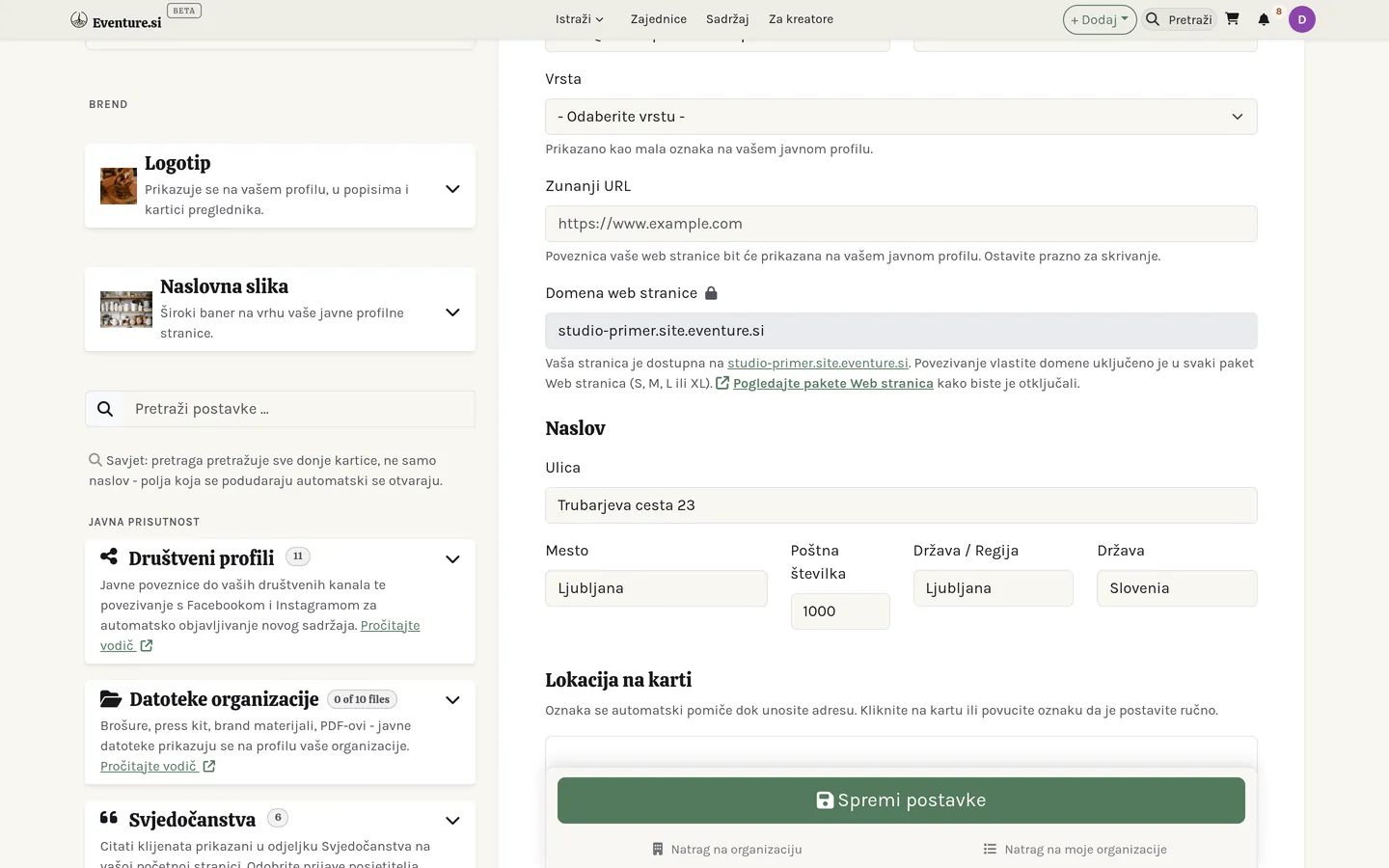
Obrazac lijevo pokriva tko ste i gdje ste: ime, kontaktne podatke, vrstu organizacije, adresu i kartografsku oznaku, tekst O nama, poveznicu na vašu javnu stranicu i SEO. Također postavlja na koju se adresu odaziva vaša stranica na Eventureu - besplatna poddomena *.site.eventure.si prema zadanome, ili vaša vlastita domena čim je paket uključuje (Explorer i više) - i omogućuje izbor kako se prikazuje kartica Događaji na vašem profilu (kartice, kalendar ili karta).
Kartice desno pokrivaju sve ostalo - brend, datoteke, preporuke, lead magnete, odlaznu e-poštu, naplatu i izdavanje računa te fiskalizaciju. Svaka nosi vlastitu ikonu pomoći, a pretraga kartica filtrira po onome što polje radi, ne samo po imenu. Vidi Postavke organizacije za to što svaka kartica radi i kojim ih redom ispuniti.
Zaglavlje stranice pokazuje i značku stanja organizacije s gumbom Suspendiraj / Aktiviraj uz nju. Suspenzija skida organizaciju s mreže - njezin profil, unosi i web stranica prestaju se javno prikazivati - a da ništa ne briše; Aktiviraj sve vraća točno kako je bilo. Korisno za sezonsku stanku ili dok stvari preuređujete.
Na dnu Opasna zona organizaciju briše konačno - s njom odlaze članovi, sadržaj, proizvodi, datoteke, zajednice i kontakti. Računi, narudžbe i platne transakcije svejedno se čuvaju, zbog računovodstva.
Vlastita web stranica
Uz profilnu stranicu organizacija može imati i vlastitu punu javnu web stranicu - vlastitu adresu, stranice i izgled - izgrađenu u Graditelju web stranica. To je dovoljno velika tema da ima svoj priručnik; otvara ga i gumb Pomoć unutar graditelja.
Ako je vaša web stranica Prilagođena stranica - učitani paket, na primjer igra - možete je prikazati i izravno na stranici profila. U graditelju, na ploči Prilagođena stranica, uključite Prikaži na stranici profila: posjetitelji profila tada dolaze na karticu Igraj s igrom (prati objavljenu verziju web stranice i ima gumb Cijeli zaslon), a uobičajeni profil seli se na karticu Predstavljanje odmah do nje. Igra čiji se paket označi kao igra to uključuje sama pri prvom učitavanju; možete je isključiti bilo kada i ostaje isključena.


Poglavlje 5
Postavke organizacije
Što kontrolira svaka kartica na stranici Postavke, grupirano onako kako stoje na zaslonu: Brend, Javna prisutnost, Publika i marketing te Novac i pravno.
Desna bočna traka stranice Postavke niz je kartica, jedna tema po kartici. Ovo poglavlje ide karticu po karticu, redom kojim stoje na zaslonu, pa popis možete proći jednom i znati da ste pokrili sve što se isplati postaviti.
Brend
Obje se kartice ovdje spremaju u trenutku kad ubacite datoteku - nema zasebnog gumba Spremi i ništa ovdje nije dio slanja glavnog obrasca.
Logotip
Prikazan na vašem profilu, u popisima i u kartici preglednika. Kvadratan, preporučeno 400×400 piksela, do 5 MB. Držite tekst podalje od slike - na malim veličinama koje popisi koriste bude odrezan.
Naslovna slika
Široki natpis preko vrha vašeg javnog profila. Preporučeno 1200×300 piksela. Kontrola položaja omogućuje da visoku ili necentriranu fotografiju nakon prijenosa ponovno uokvirite, a prekidač zatamnjenja potamni je iza teksta koji položite u Graditelju web stranica.
Javna prisutnost
Ono što posjetitelj vašeg javnog profila stvarno vidi, mimo samih profilnih polja.
Web adresa
Adresu vašeg profila - eventure.si/vase-ime - birate sami. Nalazi se u glavnom obrascu, odmah ispod naziva organizacije, kao zasebno polje s gumbima za kopiranje i otvaranje. Pri izradi organizacije prati naziv dok sami ne upišete u nju, pa dvije riječi mogu postati odmevluci ili odmev-luci; koristite slova, brojeve i crtice, najmanje tri znaka. Kod postojeće organizacije nikad se ne mijenja sama - ako se naziv i adresa razilaze, mala napomena nudi usklađivanje, a možete je i zanemariti. Promjena adrese premješta profil i besplatnu adresu web stranice (vase-ime.site.eventure.si), a stare veze i dalje rade: preusmjeravaju se na novu. Adresa koju ste prije imali ostaje vaša - nitko drugi je ne može preuzeti, a možete se vratiti kad god želite.
Društveni profili
Javne poveznice na vaše društvene kanale, prikazane na profilu i u podnožju. Ista kartica drži i Facebook i Instagram veze koje novim objavama omogućuju automatsko objavljivanje na vašim društvenim računima čim uključite automatsko objavljivanje.
Datoteke organizacije
Brošure, press kit, materijali brenda, PDF-ovi - sve što želite da posjetitelj može preuzeti s vašeg profila. Javno prema zadanome; ne koristite za ono što treba ostati interno.
Preporuke
Citati kupaca prikazani u odjeljku Preporuke na početnoj stranici. Prekidač odlučuje mogu li posjetitelji poslati vlastite s vašeg javnog profila; prijave slijeću ovamo na čekanje, a vi ih odobrite, uredite ili istaknete prije objave. Citat možete dodati i sami, bez čekanja da ga posjetitelj napiše.
Opće informacije
Sve što ne pripada nigdje drugdje: potrošnja prostora, ime i podaci potpisnika ugovora, izborni naslov iznad teksta "O nama" te je li vaša organizacija istaknuta u izlogu početne stranice.
Publika i marketing
Što novi pretplatnik vidi odmah nakon potvrde i odakle izlaze vaše kampanje.
Lead magneti
Datoteke koje pretplatnik može preuzeti čim potvrdi e-poštu - e-knjiga, vodič, popis popusta. Dobar lead magnet razlika je između klika na potvrdu i razloga da vaše e-poruke nastave otvarati.
Povezani sadržaj
Izaberite događaje, aktivnosti, sadržaj, ponude, igre ili ankete koje novi pretplatnik vidi na stranici potvrde i u e-poruci dobrodošlice - isti prostor koji koriste kampanje, pa ljude možete uputiti na ono što je sada najvažnije bez čekanja da složite kampanju.
Pošiljatelj newslettera
Prikazuju li kampanje slike prema zadanome, plus adresa pošiljatelja i naslovi za e-poruke potvrde adrese i dobrodošlice koje pretplatnici dobivaju automatski.
Odlazna e-pošta (SMTP)
Isključeno prema zadanome, što znači da kampanje i sistemske poruke idu s adrese same platforme. Uključite da šaljete s vlastite domene ili Gmail računa i upišite host, port, enkripciju, korisničko ime i lozinku koje vam da vaš davatelj e-pošte - Gmail račun s dvofaktorskom autentifikacijom ovdje treba App Password, ne vašu običnu lozinku.
Krivi podaci ne padaju glasno, nego tiho
Uključivanje SMTP-a s krivim hostom, portom ili lozinkom ne sprječava spremanje. Umjesto toga tiho zaustavi isporuku vaših kampanja i sistemskih poruka. Nakon spremanja pokrenite test veze i provjerite ikonu stanja u zaglavlju kartice - crvena oznaka znači: popravite prije nego se na to oslonite.
Poruke
Uključite ili isključite sandučić svoje organizacije i odaberite tko smije započeti izravan razgovor s vama: svi, samo ljudi koji vas prate, ili nitko.
Novac i pravno
Sve što dira naplatu i usklađenost dok naplaćujete.
Naplata i isplate
Vaš porezni broj i bankovni podaci, plus Stripe i/ili PayPal pristupni podaci. Oni omogućuju platformi da u vaše ime naplati kupcima i vama isplati - ništa ovdje nikoga ne tereti dok ne stigne prava narudžba.
Zadane postavke računa
Format numeriranja i prefiks vaših računa, plus zadani uvjeti plaćanja i podnožje koje se primjenjuje na svaki račun koji odsad izdate. Promjena formata ne prenumerira već poslane račune.
FURS fiskalizacija
Bitno samo ako u Sloveniji naplaćujete gotovinom ili karticom: davčno potrjevanje računov pri FURS-u, slovenskoj poreznoj upravi. Prenesite certifikat, registrirajte poslovne prostore i uređaje, i svaki gotovinski račun od tada nosi ZOI, EOR i QR kod, u trenutku izdavanja u cijelosti potvrđen kod porezne uprave.

Poglavlje 6
Zajednice
Zajednice su prostori za raspravu - teme, odgovori i članovi - grupirani pod vašom organizacijom.
Prostor za razgovor, pod vašom organizacijom
Zajednica je prostor za raspravu koji ugošćuje vaša organizacija. Njezina vrsta određuje vrata: javna (svatko čita i pridružuje se), privatna (vidljiva, ali za sudjelovanje se pridružuješ) ili tajna (nevidljiva dok nema pozivnice). Četvrta vrsta, osobna zajednica, prostor je izgrađen oko jedne osobe ili brenda umjesto oko teme - posjetitelji ih pregledavaju odvojeno u odjeljku Osobni prostori u glavnom izborniku; nju postavlja tim Eventurea, a ne vi sami.
Koliko zajednica vaša organizacija može stvoriti ovisi o paketu: na besplatnom paketu Wanderer nijednu (jednu dodajete paketom +1 Community), na paketu Explorer jednu, na Voyager tri i na Visionary pet. Više ih na bilo kojem paketu možete dodati istim paketom. Postojeće zajednice nikada se ne uklanjaju kada se ograničenje promijeni; samo ne možete stvoriti novu dok nema mjesta. Lokalne zajednice koje vaša organizacija pokrene unutar domene broje se u isto ograničenje. Zajednica s vlastitom web adresom, postavljena u dogovoru s timom Eventurea, nikada se ne broji.
Pregledavanje zajednica
Poveznica Zajednice u glavnom izborniku navodi sve javne zajednice na platformi. U traci za pretraživanje na vrhu pretražite po imenu i odaberite vrstu pristupa - Otvoreno, Uz odobrenje ili Samo na poziv - popis suzite gumbima kategorija ili gumbima Sve, Popularne, Nove i Pridružene te ga razvrstajte po najnovijem, najpopularnijem ili imenu. Nekoliko zajednica koje ističe tim Eventurea prikazuje se u retku iznad popisa, a svaka kartica govori tko zajednicu ugošćuje, koliko ima članova i koliko je nedavno bila aktivna. Otvaranjem zajednice prikazuje se njezin profil: naslovna fotografija preko cijele širine s imenom, vrstom, brojem članova i gumbom Pridruži se, zatim kartice Rasprava, Događaji, Kalendar, Predstavljanje, Članovi i sve ostalo što je zajednica uključila. Otvara se na kartici Rasprava, gdje članovi objavu započinju odmah na vrhu popisa; Događaji navode što pripremaju njezine organizacije, a Kalendar isto prikazuje po mjesecima - oboje samo ako zajednica ima uključene događaje. Bočna traka na svakoj kartici navodi tko je vlasnik, kakva je politika pridruživanja, kada je stvorena i na kojim jezicima djeluje, njezine moderatore i najnovije obavijesti te poveznice na pravila privatnosti i uvjete; na njezinu kraju su gumbi za dijeljenje i srce koje je sprema među vaše favorite.
Domena koja ugošćuje vlastite lokalne zajednice može u izbornik dodati stavku Naše zajednice. Ona navodi samo vlastite zajednice domene, s istim karticama kao glavni popis - domaćin, broj članova i nedavna aktivnost - i, ako ga domena uključi, s retkom njezinih istaknutih zajednica iznad njih.
Profilna stranica domene dobiva i karticu Zajednice, odmah iza Organizacija, čim ima svoju prvu lokalnu zajednicu. Svaku prikazuje kao karticu, a svaka se kartica otvara na vlastitoj adresi domene, jer lokalna zajednica živi samo ondje. Upravitelji domene na vrhu kartice pronalaze gumb Stvori zajednicu. Profil lokalne zajednice u navigacijskom putu iznad naslova navodi njezinu domenu, jedan klik natrag do nadređene zajednice.
Vaše zajednice: dva popisa
Zajednice čiji ste član i zajednice koje vodi vaša organizacija nalaze se na dvije odvojene stranice. Moje zajednice u vašem osobnom izborniku navode sve zajednice kojima ste se sami pridružili - bez obzira na to koja ih organizacija ugošćuje - i nikada se ne mijenjaju s odabranom organizacijom. Gumbi za filtriranje dijele ih na one koje pomažete voditi (Upravljam: vi ste vlasnik, administrator ili moderator) i one u kojima samo sudjelujete (Član). Kad se pridružite prvoj zajednici, ova se stranica pojavljuje u vašem izborniku.
Zajednice u izborniku vaše organizacije mjesto su na kojem ih vodite: popis prikazuje zajednice u vlasništvu vaše organizacije (U vlasništvu) i one kojima se pridružila kao članica (Povezano), a prati odabir organizacije u bočnoj traci - mala oznaka Samo ispod gumba stranice pokazuje koja je odabrana, a njezin x ponovno prikazuje sve vaše organizacije. Ovdje započinje stvaranje zajednice, a zajednice u vlasništvu koje su neaktivne ili još čekaju ostaju na popisu kako biste ih mogli ponovno uključiti.
Oznaka statusa u svakom retku ujedno je i prekidač. Zelena oznaka Aktivno s kvačicom i siva oznaka Neaktivno sa znakom pauze prebacuju se jednim klikom, i kod obične zajednice i kod domene - Postavke nije potrebno otvarati. Isključivanje domene ne mijenja njezine lokalne zajednice. Zajednica s vlastitom web adresom dok je neaktivna prikazuje stranicu za održavanje, a njezin redak to i navodi. Narančasta oznaka Čeka odobrenje s pješčanim satom označava prijavu koju tim Eventurea još nije odobrio; ne možete je sami uključiti - postaje aktivna čim bude odobrena. Na oznaku mogu kliknuti samo vlasnici i administratori zajednice ili vlasnici i administratori organizacije kojoj zajednica pripada; ostali je vide kao običnu oznaku.
Stvaranje zajednice
Svaki vlasnik ili administrator organizacije može za nju stvoriti običnu zajednicu - otvorite Zajednice u izborniku organizacije i kliknite Stvori (ako je dostupno više mogućnosti, u izborniku koji se otvori odaberite mogućnost za novu zajednicu). Zajednica je pri stvaranju javna, privatna ili tajna; organizacija ostaje nepromijenjena od trenutka stvaranja nadalje, a upravljaju njome samo njezini vlastiti vlasnici i administratori. Ako još nemate organizaciju, Stvori vas najprije odvede da je stvorite, a zatim vas vrati natrag da dovršite postupak. Svaka organizacija može imati onoliko zajednica koliko dopušta njezin paket - kad dosegnete tu granicu, gumb to objašnjava i nudi uobičajen izbor nadogradnje paketa ili kupnje dodatka; pogledajte Vaši paketi i dodaci. Zajednica s vlastitom prilagođenom domenom ili ona izgrađena za ugošćivanje drugih unutar sebe druga je, zahtjevnija vrsta - pogledajte "Domene i lokalne zajednice" niže.
Objave nisu sve iste
Objava može biti obična rasprava, pitanje, obavijest, anketa ili dijeljenje datoteke - svaka oblikovana za svoj posao. Odgovori, sviđanja i reakcije vise s njih, a članovi si mogu pisati izravno. Pitanju je dovoljan naslov, a rasprava može biti i samo fotografije bez teksta.
Objavi dodajete do četiri fotografije poljem Fotografije ispod teksta. Svaka se odmah prikaže kao mali pregled, a preglednik velike fotografije s mobitela prije slanja smanji, pa se brzo prenesu i velike - gumb Objavi u međuvremenu prikazuje kotačić i napredak prijenosa. Sprema se kopija za razgovor (bez podataka o lokaciji), koja se broji u prostor za pohranu vaše organizacije. Fotografije se otvaraju u galeriji, a kad je zatvorite, na stranici ste točno ondje gdje ste bili. Videozapise i animacije dijelite kao poveznicu.
Održavanje reda
Uloge idu od vlasnika preko administratora i moderatora do člana. Alati omogućuju da objavu prikvačite ili zaključate, sakrijete sadržaj te utišate ili isključite člana - dovoljno da prometan prostor ostane pristojan bez teške mašinerije. Utišani član može čitati, ali ne i objavljivati ili odgovarati, i saznaje zašto; isključenje ga uklanja i iz svih kanala i sastanaka zajednice, a ponovni prijem mu ta mjesta ne vraća.
Odobravanje objava u Graditelju web stranica, pod Izgled > Značajke zajednice, zadržava nove objave i odgovore dok ih moderator ne odobri: Isključeno, Novi članovi (oni koji su se pridružili u posljednja dva tjedna) ili Svi. Objave moderatora i administratora organizacije nikad se ne zadržavaju. Autor vidi da je objava otišla moderatorima; drugi je ne vide i još se ne broji. Moderatori na vrhu kartice Rasprava nalaze karticu Za pregled s gumbima Odobri i Sakrij, a svaka objava i odgovor za njih ima malu ikonu za skrivanje - skrivanje traži neobavezan razlog, a nedavno sakrivene objave ostaju ispod kartice kako bi se skrivanje moglo poništiti gumbom Obnovi.
Poruka dobrodošlice
Svaki novi član je pozdravljen. U Website Builderu pod Izgled > Funkcije zajednice nalazi se polje Poruka dobrodošlice: napišite vlastite riječi, s {name} i {community} tamo gdje se trebaju pojaviti ime i zajednica, ili ostavite prazno za ljubazan zadani tekst. Pozdrav stiže u pretinac člana od organizacije vlasnika, pa odgovor započinje razgovor s timom. Ako je organizacija vlasnik skrivena (Anonimni vlasnik), član umjesto toga dobiva obavijest u zvonu, da organizacija ostane skrivena. Svaka osoba je u pojedinoj zajednici pozdravljena jednom.
Kanali
Kanali su manji, trajni razgovori unutar zajednice - tim za vrt, lokalni krug, ljudi koji pripremaju sljedeće okupljanje. Razina je samo jedna: kanal nikada ne sadrži drugi kanal. Uključite ih prekidačem Kanali u Graditelju web stranica (Izgled > Značajke zajednice) i odaberite Tko može izrađivati kanale: samo moderatori (zadano), članovi na zahtjev (moderator svaki odobrava na kartici Kanali) ili članovi izravno. Kanali nikada ne troše mjesto za zajednicu u vašem paketu.
Svaki član na kartici Kanali vidi sve kanale - naziv, svrhu, broj članova i način ulaska:
- Otvoren za članove zajednice - svaki član zajednice klikne Pridruži se.
- Samo uz pozivnicu - domaćini kanala pozivaju ljude; članovi vide da postoji, ali ne i što se u njemu govori, dok ne prihvate pozivnicu.
U kanalu objavljujete i odgovarate jednako kao na kartici Rasprava, a ništa od toga ne pojavljuje se u glavnom tijeku zajednice. Članovi kanala dobivaju obavijest o novim razgovorima; gumb sa zvonom to za vas utišava (mijenja se u Uključi zvuk), a Napusti vas uklanja. Oznaka Novo na kartici označava kanale s nečim što još niste pročitali.
Domaćini - tko je kanal stvorio i koga promaknu - pozivaju članove tražilicom Pozovi ljude (pozvati se mogu samo članovi ove zajednice), postavljaju druge domaćine, uklanjaju ljude i arhiviraju kanal koji je odradio svoje: ostaje čitljiv, ali nitko ne može objavljivati. Moderatori zajednice i administratori organizacije vlasnice vide i moderiraju sve kanale, pa i one samo uz pozivnicu, što svaki kanal kaže na vrhu; o svakoj objavi nisu obaviješteni. Okrugli gumb sa zupčanikom označava kanale kojima upravljate.
Sastanci
Sastanci omogućuju da se nekoliko članova nađe na Google Meetu, Zoomu ili Teamsu bez stvaranja kanala ili nove skupine. Uključite ih prekidačem Sastanci u Graditelju web stranica i odaberite Tko može dogovarati sastanke (svi članovi ili samo moderatori).
Na kartici Sastanci gumb Dogovori sastanak traži naslov, ljude s kojima se želite naći (tražite članove zajednice po imenu - pozvani su samo oni, a vi ste domaćin) i Kada: Počni odmah ili Odaberi vrijeme na otvorenom kalendaru i gumbu s vremenom, uz trajanje. Redak ispod kalendara sažima izbor običnim riječima, u vremenskoj zoni zajednice. Poziv izradite sami u Google Meetu, Zoomu ili Teamsu i zalijepite njegovu poveznicu; Eventure ga (još) ne izrađuje umjesto vas. Isti obrazac otvara se sa stranice kanala gumbom Započni sastanak, s već odabranim članovima tog kanala.
Svatko koga ste odabrali dobiva obavijest, a sastanak mu se pojavljuje na kartici Sastanci, u kalendaru zajednice i u Mojem kalendaru - nitko drugi ga ne vidi. Na kartici odgovara zelenom kvačicom (dolazim) ili crvenim križićem (ne mogu doći) bez ponovnog učitavanja stranice, a Pridruži se sastanku otvara poziv u novoj kartici ili aplikaciji - Eventure ga nikad ne otvara umjesto nekoga. Sama poveznica nikad se ne prikazuje na stranici; do nje dolaze samo pozvani, a Dodaj u kalendar daje im datoteku za kalendar. Kao domaćin okruglim zupčanikom na kartici otvarate sastanak, gdje mijenjate vrijeme ili poveznicu ili ga otkazujete; svi pozvani su obaviješteni. Poveznica koju je netko kopirao drugamo radi dok je ne promijenite.
Resursi
Resursi su zajednička knjižnica zajednice - vodiči, bilješke, dogovori, planovi - za datoteke koje trebaju ostati, za razliku od fotografija u razgovoru. U Graditelju web stranica uključite prekidač Resursi; moderatori i administratori dodaju datoteke gumbom Dodaj resurs, a članovi također kad je uključeno Članovi mogu dodavati resurse. Svaka datoteka može imati naslov i opis, broji se u prostor za pohranu vaše organizacije i namijenjena je samo članovima, osim ako moderator ne uključi Prikaži i posjetiteljima koji nisu članovi. Preuzimanja provjeravaju tko traži, pa datoteka samo za članove nikad ne stiže do posjetitelja. Onaj tko ju je prenio ili moderator može je ukloniti, čime se oslobađa njezin prostor.
Upravljanje članovima i organizacijama
Brojači članova i organizacija u retku zajednice na vašim popisima i u zaglavlju njezine stranice Postavke otvaraju jedan prozor s dvije kartice, Članovi i Organizacije, svaka sa svojim brojem - kliknite bilo koji brojač i prozor se otvara na toj kartici. Obojene značke na vrhu (Ukupno, Aktivno, Na čekanju, a kod članova još Utišan i Prepovedan) služe kao filtar: klik prikazuje samo taj status, ponovni klik opet sve. Polje za pretraživanje filtrira već dok tipkate - gumb ne treba pritisnuti. Na kartici Članovi pronalazi korisničko ime, e-poštu ili naziv organizacije kojoj je član vlasnik; te se organizacije prikazuju kao male oznake ispod imena člana, zelene s kvačicom kad je organizacija već dio ove zajednice i narančaste s pješčanim satom dok njezin zahtjev za uključivanje čeka. Ako možete slati e-poštu iz Eventurea, klik na adresu e-pošte člana otvara prozor za slanje već naslovljen na njega. Odobravanje, uklanjanje ili isključivanje člana odmah osvježava brojače, u prozoru i na stranici iza njega.
U zaglavlju stranice Postavke naziv organizacije vlasnice otvara mali izbornik: pregled njezina javnog profila, njezina nadzorna ploča ako vodite tu organizaciju i - za tim Eventurea - promjena vlasnika.
Domene i lokalne zajednice
Zajednica koja unutar sebe stvori druge zajednice postaje domena - oznaka se pojavi automatski čim dobije prvu takvu zajednicu, a do tada se kod obične zajednice ne mijenja ništa. Svaka zajednica unutar nje, lokalna zajednica, potpuna je zajednica za sebe - ima svoje članove, rasprave i stranicu s postavkama - samo što je za jednu razinu ugniježđena unutar svoje nadređene zajednice.
Novu stvarate na stranici Postavke nadređene zajednice: kartica Zajednice prikazuje postojeće, a gumb Nova zajednica pokreće novu, koja preuzima tip i pravila nadređene zajednice. Isti prečac udaljen je samo jedan klik i sa stranice Zajednice vaše organizacije - gumb Stvori popisuje svaku domenu kojom upravljate, pa za pokretanje lokalne zajednice nikad ne morate prvo otvoriti njezinu nadređenu zajednicu. Kad je stvorite s profila domene, vraćate se na njezinu karticu Zajednice, gdje je nova već na popisu. Stvaraju ih i njima upravljaju oni koji već upravljaju nadređenom zajednicom - njezini administratori ili organizacija koja ju je stvorila; upravljanje lokalnom zajednicom samo po sebi ne daje pristup nadređenoj zajednici.
Lokalnu zajednicu možete ponovno ukloniti iz izbornika njezinog retka na popisu Zajednice vaše organizacije - Izbriši zajednicu uklanja je sa svih popisa, dok njezini članovi, objave i datoteke ostaju netaknuti, umjesto da budu trajno izbrisani. Samu domenu na ovaj način nikad nije moguće ukloniti - to ostaje zadatak operatera platforme. Lokalna zajednica također nema vlastitu web stranicu za izgradnju - dostupna je na adresi svoje nadređene zajednice, pod /communities/<naziv>, pa se Graditelj web stranica pojavljuje samo na domeni.
Članovi i organizacije lokalne zajednice ubrajaju se i u nadređenu zajednicu, pa organizacija koja se pridruži lokalnoj zajednici postaje vidljiva i putem nje. Dvije stvari ostaju nepromijenjene: lokalna zajednica nikada ne može biti tajna niti imati vlastitu prilagođenu domenu, a ugniježđivanje staje na jednoj razini - lokalna zajednica ne može imati vlastite zajednice unutar sebe. Ni glavna platformska zajednica ne može postati domena.
Na oba popisa zajednica lokalne zajednice domene ugniježđene su ispod nje, umjesto da su razasute po ostatku popisa - prema zadanim postavkama sažete, s malim znakom "+", koji lebdi na rubu retka domene i širi ga ili sažima (isto čini klik bilo gdje na taj redak). Unos pojma za pretragu ili odabir filtra privremeno prikazuje popis bez ugniježđivanja, dok god je aktivan, pa se odgovarajuća lokalna zajednica prikazuje samostalno s oznakom "u {domeni}"; kad pretragu očistite, ugniježđivanje se vraća.


Postavke zajednice
Što kontrolira svaka kartica na stranici Postavke zajednice. Boje brenda, fontovi, favicon i prekidači značajki/widgeta koji su nekad živjeli ovdje sad imaju jedini dom u Graditelju web stranica - u Postavkama ostaju samo kartice ispod.
Logotip
Prikazan na profilu vaše zajednice, u popisima i kartici preglednika. Prijenosi i uklanjanja spremaju se u trenutku kad ih napravite - nema zasebnog koraka Spremi.
Favicon
Malu ikonu koju kartica preglednika pokazuje za javne stranice vaše zajednice više ne postavljate ovdje: sada je u Graditelju web stranica, pod Izgled > Mediji. Favicon koji ste ovdje prenijeli ranije radi i dalje dok tamo ne prenesete novi, a kartica Mediji vas upozori dok je još u upotrebi.
Naslovna slika
Široki natpis preko vrha javnog profila vaše zajednice. Kontrola položaja omogućuje da visoku ili necentriranu fotografiju nakon prijenosa ponovno uokvirite.
Brend i vizualni identitet
Tematska kategorija vaše zajednice, prikazana kao filtar u platformskom imeniku Zajednice. Posjetitelji vašu zajednicu mogu pronaći i tako da svojim riječima opišu što traže: imenik traži podudaranje po značenju u nazivu, sloganu, opisu i kategoriji zajednice te u mjestu vaše organizacije, pa vas pronalazi jasan opis. Prikazane su samo javne zajednice. Slogan, boje brenda, fontovi, favicon i zadana tema boja koju novi članovi vide prije nego izaberu svoju preselili su u Graditelj web stranica: slogan u karticu Brend na kartici Zaglavlje, a ostalo u karticu Izgled.
Društvene poveznice
Javne poveznice na društvene profile vaše zajednice, prikazane u zaglavlju i podnožju, plus Instagram veza koja novim objavama omogućuje automatsko objavljivanje čim uključite automatsko objavljivanje.
Odredišna stranica
Hero slika i način stranice s popisom, plus banner za otkrivanje prikazan u zaglavlju. Čim u Graditelju web stranica izgradite prilagođenu odredišnu stranicu, ona u cijelosti zamjenjuje polja ove kartice - ostaju spremljena, samo ovdje skrivena.
Odjeljci stranice
Prekidači koje standardna odredišna stranica čita da odluči koji se blokovi pojavljuju - događaji, aktivnosti, organizacije, statistika i drugo - plus stil jezičnog preklopnika zajednice. Nadomješta ih vlastiti popis odjeljaka Graditelja web stranica čim prijeđete na prilagođenu odredišnu.
Vidljivost karte
Pojavljuje li se karta organizacija na standardnoj odredišnoj stranici ili platforminoj stranici za pregled /organizations. Za prilagođenu odredišnu dodajte odjeljak karte izravno u Graditelju web stranica.
Banner dobrodošlice
Pozdrav pri prvom posjetu prikazan na vrhu vaše zajednice: uključite ga, izaberite ton i napišite prilagođenu poruku.
Analitika i pikseli
Marketinški i analitički pikseli (Facebook, GA4, GTM, TikTok, LinkedIn) plus prilagođene skripte za head i body na stranicama vaše zajednice.
Automatsko objavljivanje na društvenim mrežama
Povežite Instagram da se nove objave zajednice mogu automatski objavljivati na vašem računu.
Privatnost vlasnika
Označite da tražite moderatore koji će pomoći voditi zajednicu.
Pravne stranice
Pravila privatnosti i Uvjeti korištenja za zajednicu - obvezni po GDPR-u i povezani iz njezina podnožja. Dva neovisna polja pod Općim informacijama, odmah ispod punog opisa, a ne vlastita kartica.
Demo način
Kontrole pješčanika za predstavljanje zajednice potencijalnim klijentima bez izlaganja stvarnih podataka.
Zajednice
Prikazuje se kad vaša zajednica postane domena, blizu vrha bočne trake odmah ispod polja za pretragu postavki: popis lokalnih zajednica unutar nje i gumb za pokretanje nove. Što je lokalna zajednica, kako je izbrisati i što se prenosi na nadređenu zajednicu, pročitajte gore u odjeljku "Domene i lokalne zajednice".
Dio III - Što nudite
Poglavlje 7
Ponude i trgovina
Ponude su vaša trgovina: fizički, digitalni i uslužni proizvodi s varijantama, zalihama i kuponima.
Pet kategorija, jedan prostor
Sve što prodajete ili vodite živi pod jednim prostorom Moje ponude: Događaji, Usluge, Proizvodi, Prostori i Tečajevi imaju svaki svoju karticu na istoj stranici, dijeleći jedno polazište i jedan skup filtara umjesto pet zasebnih stavki izbornika. Mijenjanje kartica mijenja kojom kategorijom upravljate; kategorija koju još niste koristili pokazuje obrubljeni "+ Dodaj" umjesto da bude skrivena. Vidi Prostore i Tečajeve za druga dva.
Tri vrste proizvoda
Trgovina prodaje fizičku robu (šalje se), digitalnu robu (preuzima se) i usluge (sesija ili termin). Što izaberete, odlučuje što ostatak obrasca pita - težinu za dostavu, datoteku, ili ništa od toga.
Učinite uslugu rezervabilnom
Uključite Ljudi mogu rezervirati termin kod mene, pri dnu obrasca usluge, i ona postaje raspored prema kojem posjetitelji rezerviraju - trajanje, koliko ljudi može zauzeti isti termin i vaši tjedni sati. Vidi Rezervacije za ono što taj prekidač otključava i kako plaćena rezervacija sama postane račun.
Varijante i zalihe
Jedan proizvod može nositi varijante - veličinu, boju, opciju po vašem izboru - svaku s vlastitom cijenom i zalihom. Zaliha prati količine, upozorava kad ponestaje i može dopustiti narudžbe unatrag kad želite prodavati i ispod nule.
Digitalna isporuka i kuponi
Digitalni proizvod isporučuje sigurno preuzimanje s ograničenjima koja postavite - koliko puta, koliko dugo. Kuponi skidaju postotak, fiksni iznos ili dostavu, pa je akcija ili članska pogodnost kod, a ne promijenjena cijena.
Zavođenje proizvoda
Proizvodi najprije biraju oblik - Fizički ili Digitalni - jer ta dva imaju stvarno različite kategorije ispod sebe. Zatim dolaze Oznake i ploča Predložene oznake, koja pročita vaš opis i predloži početni skup. Vidi Kategorije i oznake.
Police vaše vlastite trgovine
Odvojeno od te platformske kategorije, svaki obrazac ponude nosi i karticu Polica trgovine. Kategorija zavodi vašu ponudu na tržnicu za sve; polica uređuje vaš vlastiti izlog - u kojem odjeljku vaše trgovine ponuda stoji kad je netko pregledava. Izaberite policu s popisa ili pritisnite Nova polica i stvorite je odmah ondje, bez napuštanja obrasca; police mogu stajati unutar drugih polica, pa širok odjeljak može držati uže.
Što posjetitelji vide na kartici
Na vašim javnim stranicama sve što ima cijenu nosi na svojoj kartici gumbe Dodaj u košaricu i Brza kupnja - prvi to spusti u košaricu u zaglavlju da se nastavi pregledavati, drugi ide ravno na blagajnu samo s tom stavkom.


Poglavlje 8
Događaji
Događaj na Eventureu je datum, mjesto i način da se ljudi prijave. Iz te kralježnice možete prodavati ulaznice, ograničiti broj ljudi, skupljati odgovore na vlastita pitanja i prijavljivati ljude na vratima - ili ga ostaviti jednostavnim kao vrijeme i naslov.
Događajima upravljate u odjeljku Moji događaji. Ovo poglavlje prolazi obrazac događaja od vrha do dna - jedan je zaslon, građen od kartica koje otvarate samo kad ih trebate - i objašnjava izbore o koje se ljudi najčešće spotaknu: kako se ljudi prijavljuju, što ulaznica može biti i kada vaše upute stižu do polaznika.
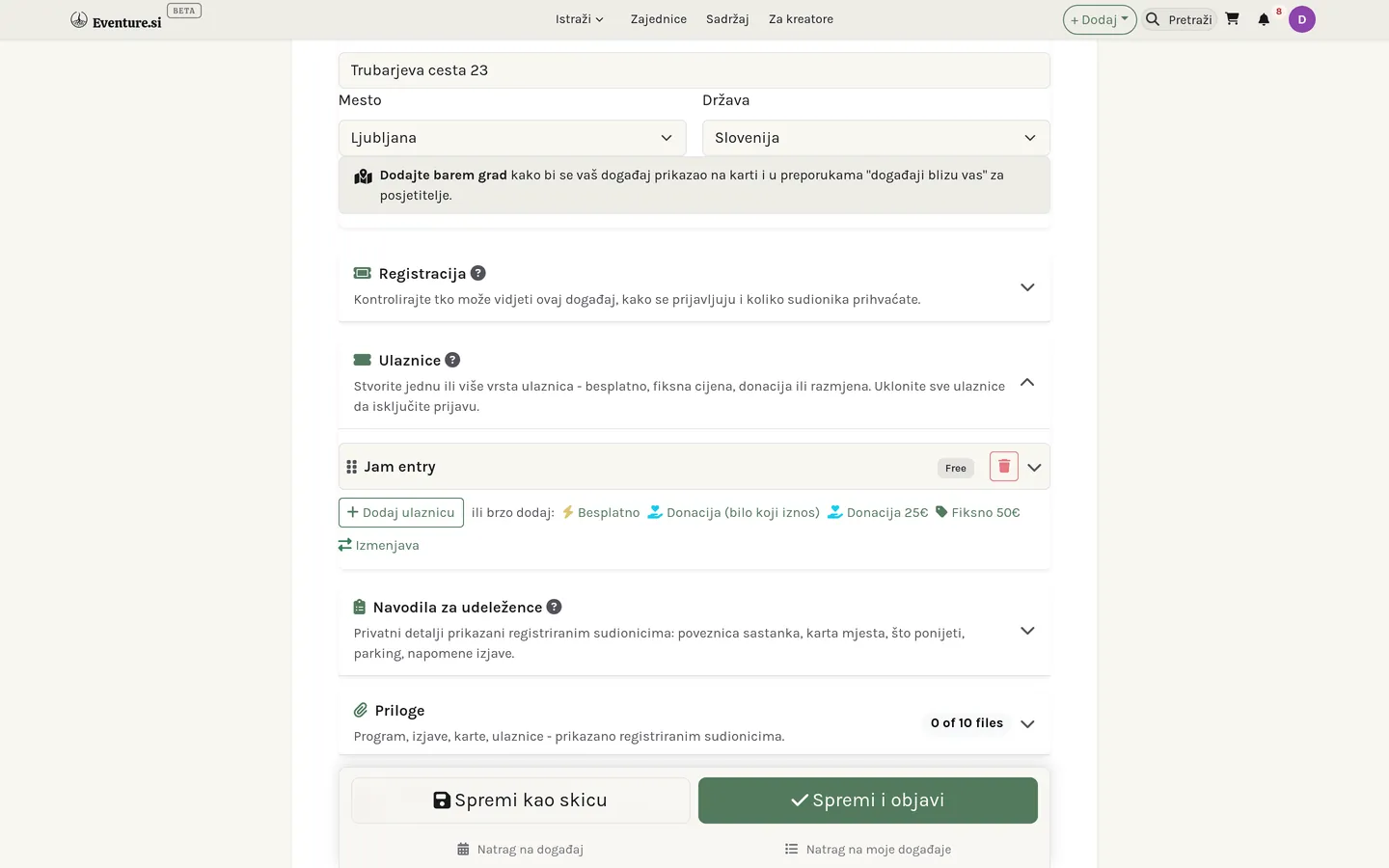

Vrh obrasca dio je koji treba svaki događaj: naslov, kratki opis za kartice i popise te puni opis pisan u blokovima - naslovi, slike, popisi, što god događaj zaslužuje. Postavite datum i vrijeme (događaj može teći do drugog datuma ili postati cijeli niz povezanih datuma), izaberite lokaciju (prostor, online poveznicu ili oboje) i dodajte istaknutu sliku. Sve ispod toga je izborno - posegnite kad događaj to traži.
Prijava
Kartica Prijava odlučuje tko događaj može pronaći i kako se prijavljuje. Četiri postavke u njoj vrijedi bolje pogledati - svaka na obrascu nosi vlastitu ikonu pomoći.
Vidljivost
Tko uopće može doći do stranice događaja. Javno je navedeno na vašem profilu i u pretrazi. Nenavedeno je dostupno samo preko točne poveznice - zgodno za tihi start ili datum samo za članove koji dijelite e-poštom. Privatno svakog posjetitelja pita za lozinku koju postavite, pa ni netko s poveznicom ne može zaviriti bez nje.
Vrsta prijave
Što se dogodi u trenutku kad netko klikne Prijavi se. Dvije koje iznenađuju: Traži odobrenje drži svaku prijavu dok ne kažete da, što je ispravno za provjerenu grupu, ali znači da nitko nije potvrđen automatski; a Vanjska poveznica posjetitelja predaje sasvim drugoj stranici i isključuje ugrađeni tok ulaznica, pa je koristite samo kad prijava stvarno živi drugdje.
| Vrsta prijave | Što se događa |
|---|---|
| Otvorena | Trenutna potvrda - polaznik je unutra čim završi. |
| Traži odobrenje | Svaki zahtjev pregledate i odobrite ili odbijete. |
| Samo s pozivnicom | Prijaviti se mogu samo ljudi koje pozovete. |
| Vanjska poveznica | Prijava šalje ljude na drugu stranicu; ugrađeni tok ulaznica se preskače. |
Kapacitet
Najviše koliko prima. Nula znači neograničeno - prazan ili 0 kapacitet ne zatvara događaj, nego ga širom otvara. Pravi broj postavite samo kad to kažu prostorija, brod ili dozvola; čim se napuni, nove se prijave odbijaju, osim ako je lista čekanja ispod uključena.
Lista čekanja
Što se događa kad je kapacitet dosegnut. S uključenom listom pun događaj i dalje prima imena u red umjesto suhog "rasprodano", a kad netko otkaže, sljedeća osoba u redu može biti unaprijeđena na oslobođeno mjesto. S isključenom, puno jednostavno znači zatvoreno.
Ulaznice
Ulaznica je način dolaska. Događaj ih može imati više - ranu i punu cijenu, člansku i gostujuću razinu - svaku s vlastitim imenom, količinom i prozorom prodaje. Ako je vaš događaj besplatan i bez razina, ovu karticu možete potpuno preskočiti; sama prijava je dovoljna. Cjenovni model ulaznice mjesto je gdje je Eventure fleksibilniji od većine:
| Vrsta ulaznice | Što polaznik plaća |
|---|---|
| Besplatna | Bez naplate. Samo prijava. |
| Fiksna cijena | Iznos koji odredite, plaćen na blagajni. |
| Donacija | Plati koliko želiš - polaznik imenuje iznos, iznad minimuma koji postavite. |
| Razmjena energije | Nešto drugo umjesto novca - vještina, doprinos - opisano riječima, dogovoreno među vama. |
Upute za polaznike
Upute su privatna bilješka koju vide samo prijavljeni polaznici - kod vrata, točno mjesto sastanka, što ponijeti.
Vrijeme otkrivanja
Kada ta bilješka postaje vidljiva. Odmah je pokazuje u trenutku prijave; 24 sata prije zadržava je dok se dan ne približi, što odgovara lokaciji koju radije ne objavljujete tjednima unaprijed; na prijavi na ulazu drži je skrivenom dok nisu na vratima. Osjetljivi detalji ostaju osjetljivi dok ih ne treba znati.
Zavođenje: kategorija i oznake
Ispod glavnih polja obrazac nosi karticu Kategorija i karticu Oznake, a uz njih ploču Predložene oznake koja pročita vaš opis i predloži oboje. Kategorija kaže kakav je ovo događaj; oznake kažu kakav je, za koga je i kako teče. To je isti rječnik koji koriste vaša trgovina, tečajevi i prostori, i upravo to omogućuje da ih jedna pretraga prijeđe sve. Kategorije i oznake pokrivaju birače u cijelosti.
Kako se vaši događaji prikazuju
Popis događaja ne mora biti popis. Isti se događaji mogu ponuditi kao Kartice, kao mjesečni Kalendar, kao Organski kalendar u kojem zauzeti datumi izrastu u meke zelene krugove, ili na Karti po prostorima. Uključite koje želite i posjetitelji se prebacuju među njima; sam preklopnik može izgledati kao Gumbi, Kartice ili Samo ikone.
Svaki pogled ima svoje kontrole. Kalendar može ići u varijanti 13 mjeseci umjesto standardnog mjeseca i može nositi legendu kategorija koja na dodir radi i kao filtar. U organskom pogledu krug na datumu raste s brojem događaja (jedan događaj je najmanji, deset ili više najveći, u ravnomjernim koracima - 10, 11 ili 25 događaja izgledaju isto, a točan broj piše na ploči dana), a kad odaberete datum, događaji tog dana ispisuju se na ploči pokraj kalendara - na telefonu ispod njega. Oba kalendara nude i prekidače Nebeske oznake - Mjesečeve mijene crtaju mijenu na dane kad se mijenja, Izlazak / zalazak sunca bilježi vremena - za programe kojima je nebo važno. Sve to birate jednom: u postavkama organizacije za profilnu stranicu i po stavci izbornika u graditelju web stranica za vlastitu stranicu.
Pokraj karte je ploča s popisom događaja na karti; kad odaberete oznaku, prikazuje pojedinosti tog događaja. Kad je uključeno Pretraga oko mjesta, posjetitelji u polje Istražite okolicu mogu upisati bilo koje mjesto ili adresu ili koristiti svoju lokaciju i suziti kartu na udaljenost od 5 do 100 km.
Pogled karte smješta svaki događaj po adresi. Događaj koji karta ne može smjestiti nosi malu značku upozorenja na vašem vlastitom popisu - Nije na karti kad nema ničeg upotrebljivog, ili Prikazano na adresi organizacije kad padne natrag na oznaku vaše organizacije - s napomenom što dodati. Posjetitelji značku nikad ne vide, samo vi.
Povezani datumi i prijava na ulazu
Svaki događaj može dobiti niz povezanih datuma - svaki svoj rezervabilni termin s vlastitim polaznicima - i tako jednokratni događaj postaje tjedni niz bez dupliciranja cijelog događaja. Na sam dan zaslon prijave na ulazu skenira QR kod svakog polaznika, pa vidite tko je stigao, a polaznici mogu dodati događaj u vlastiti kalendar preko ICS poveznice.
Pošalji e-poštu polaznicima na popisu polaznika radi isto kao slanje vašim pretplatnicima: otvara se prazno s polaznicima ponuđenima kao prijedlozi, pa točno birate tko će čuti od vas, umjesto da krećete sa svima označenima. Vidi Pretplatnike za to kako birač radi.
Od skice do objavljenog
Događaj koji još oblikujete je skica: vidite ga samo vi. Kad je spreman, Spremi i objavi stavlja ga uživo na njegovu javnu adresu; Spremi kao skicu drži ga privatnim dok radite dalje. U svakom trenutku možete povući objavu - vraća se u skicu i stranica utihne dok ponovno ne objavite.
Jedina navika koju vrijedi steći
Objavite rano, pa nastavite uređivati. Objavljeni događaj ažurira se čim spremite, pa nema kazne za grubu verziju stavljenu uživo da zauzme svoju adresu i dotjeruje se poslije. Skicu ne vidi nitko, pa skica koju nitko ne vidi nikome ne pomaže.
Poglavlje 9
Prostori
Prostori su dvorane, studiji, štandovi, sobe i oprema koje iznajmljujete po danu - vaša cijena, vaši otvoreni dani, vaši uvjeti.
Što je prostor
Prostor je sve što iznajmljujete po danu: dvorana, studio, terapijska soba, štand na vašoj tržnici, komad zemlje ili sanduk opreme. Posjetitelji ih pregledavaju u odjeljku Prostori; vaši žive u odjeljku Moji prostori, a Prostori se pojavljuju u grupi Organizacija izbornika + Dodaj čim vodite organizaciju.
Ispod površine prostor je rezervabilna usluga u načinu najma. Zato zahtjev za vašu dvoranu stiže na isti popis rezervacija kao i termin, a ne u zaseban sandučić - jedno mjesto za odgovaranje, što god bilo traženo.
Vaši uvjeti
Postavljate cijenu i jedinicu po kojoj se naplaćuje, dane kad ste otvoreni i koliko jedna rezervacija smije trajati - najkraću i najdulju. Te dvije brojke tiho odrade najviše posla: zajedno sprječavaju da netko uzme vašu dvoranu na sat kad radite samo s cijelim danima, i da je drži mjesec dana. Red gumba Brzo popuni iznad tjednog rasporeda - Uredovno vrijeme, Vikend sati, Samo navečer i drugi - postavlja svaki dan jednim klikom, uz prečac Otvoreno svaki dan, cijeli dan za prostor koji nikad ne zatvara.
Uvjete zaokružuju još tri polja. Polog imenuje povratni iznos koji zadržavate za slučaj štete - najmoprimcu je prikazan unaprijed, a poravnavate ga mimo iznosa rezervacije. Prima koliko ljudi navodi kapacitet i puni filtar "prima barem N" na javnom popisu. A kartica Što je uključeno označava što dolazi s prostorom - te kvačice služe i kao filtri, pa netko tko traži projektor nađe sobe koje ga imaju.
Zavođenje da vas nađu
Svaki prostor nosi kategoriju - Studio, Dvorana, Centar za povlačenje, Štand, Oprema i tako dalje - i bilo koji broj oznaka. Kategorija je ono što prostor jest; oznake su ono kakav je. Oboje dolazi iz rječnika koji dijeli cijela platforma, pa iste riječi zavode vaš prostor, vaše događaje i vašu trgovinu. Vidi Kategorije i oznake za to kako se birači ponašaju i što nudi pomoćnik.
Pitajte o ovom prostoru
Ne počinje svaki najam datumom. Ispod birača datuma na javnoj stranici prostora stoji Pitajte o ovom prostoru - poruka, ne rezervacija. Netko opiše što planira, vi izravno odgovorite, i ništa nije rezervirano ni naplaćeno dok se oboje ne složite da ima što rezervirati.
Kažu vam za što je - izabrano iz događaja ili usluge koju već vode - što planiraju, datume koje imaju na umu, željena vremena, koliko ljudi i što im treba od prostorije. Poslati je može samo netko tko je već objavio uslugu ili događaj, što obrazac drži usmjerenim na organizatore, a ne na prolaznike. Obavijest Novi upit za prostor javlja da je jedan stigao.
Upiti stižu samo kao obavijest
Zaslona za upite još nema. Vidjet ćete obavijest i možete izravno odgovoriti pošiljatelju, ali nema popisa za obradu ni načina da jedan označite riješenim. Taj sandučić tek dolazi.
Što prostor na Eventureu nije
Eventure navodi prostore za događaje i usluge, ne mjesta za noćenje. Prostori u noćnim kategorijama - Kuća / Vila, Kolibica / Mala kuća, Centar za povlačenje, Farma / Eko selo - zato ne mogu imati cijenu po noći, a pokušaj takvog spremanja bit će odbijen s napomenom zašto. Umjesto toga odredite cijenu po danu. Crta je povučena namjerno: centar za povlačenje unajmljen za vikend-radionicu pripada ovamo, ista zgrada iznajmljena kao smještaj ne.
Vidi Ponude i trgovinu za to kako pet kategorija dijeli jedan prostor.


Poglavlje 10
Tečajevi
Tečajevi su učionice: moduli i lekcije, vlastitim tempom ili postupno, s napretkom polaznika.
Moduli, lekcije i kako se otključavaju
Tečaj je kurikulum: moduli koji drže lekcije. Kako se polaznik kreće kroz njih, određuje način otključavanja - vlastitim tempom (sve otvoreno), slijedno (dovrši jednu da dođeš do sljedeće), postupno (lekcije se otvaraju danima nakon upisa), izazov (fiksna grupa na zajedničkim datumima) ili knjižnica (slobodno pregledavanje po oznakama).
Što lekcija može biti
Lekcija može biti pisana u blokovima, PDF, ugrađeni video (YouTube ili Vimeo), preneseni video ili zvuk, ili sat uživo povezan s događajem. Oblik izgradite jednom; polaznik vidi čistu učionicu.
Preneseni video i zvuk lekcija broje se u opći prostor organizacije, isti prostor kao vaše slike i datoteke. Kartica Pohrana na zaslonu kurikuluma pokazuje koliko je prostora paketa iskorišteno i koliko od toga zauzimaju videozapisi lekcija.
Ulazak i učionica
Pristup može biti besplatan samoupis, jednokratna kupnja (kupnja ih automatski upisuje) ili ručni poziv. Jednom unutra, polaznici rade uz bočnu traku modula s trakom napretka, označavaju lekcije dovršenima i nastavljaju gdje su stali - bilješke koje tipkaju spremaju se u hodu.
Zaslon Upisi iza svakog tečaja nabraja sve u njemu s njihovim napretkom, a njegova kartica Ručno upišite polaznike dodaje ljude po adresi e-pošte - tako svoje mjesto dobiva prodaja sklopljena drugdje, ili stipendija. Izbornik retka tečaja nudi i Dupliciraj, koji kopira cijeli kurikulum kao svježu skicu - brz način da isti materijal provedete za novu grupu.
Potvrda na kraju
Uključite Izdaj certifikat o završetku na kartici Angažman obrasca tečaja i tečaj to oglašava: na njegovoj odredišnoj stranici pojave se značka Potvrda i redak "Certifikat o završetku". Koje lekcije se broje prema završetku tečaja, određujete po lekciji - u uređivaču lekcije odznačite Potrebno za dovršetak / certifikat za bonus snimku na koju završetak ne treba čekati. Sam dokument certifikata još je na putu; zasad je prekidač obećanje koje ispunite sami kad polaznik završi.
Opisivanje tečaja
Tečajevi se zavode oznakama, a ne kategorijama - ono o čemu tečaj govori bolje je opisati nego strpati u pretinac - pa obrazac nudi karticu Oznake i ploču Predložene oznake, ali ne i izbornik kategorija. Tema, razina, publika i oblik žive u oznakama. Vidi Kategorije i oznake. Vidi Ponude i trgovinu za to kako pet kategorija dijeli jedan prostor.


Poglavlje 11
Rezervacije
Rezervacije su termini prema rasporedu - usluga, njezina dostupnost i potvrđeni termini.
Rezervabilnost živi na usluzi
Rezervacija nije zasebna vrsta ponude - ona je usluga, na kartici Usluge stranice Moje ponude, s uključenim Ljudi mogu rezervirati termin kod mene. Uključivanje otkriva raspored: trajanje usluge, koliko ljudi može zauzeti isti termin, i tjednu mrežu dostupnosti - označite dane kad ste otvoreni i postavite sate za svaki. Red gumba Brzo popuni iznad mreže - Uredovno vrijeme, Radnim danima 9-17, Samo ujutro, Samo navečer i drugi - ispunjava cijeli tjedan jednim klikom; svaki dan poslije još možete ručno prilagoditi. Ploča Napredne postavke rezervacija dodaje razmake prije i poslije svakog termina, treba li zahtjev vašu potvrdu prije nego postane konačan, koliko unaprijed netko smije rezervirati, i pravila otkazivanja - fleksibilna, umjerena, stroga ili bez njih.
Usluga s ovim uključenim nosi značku Rezervabilno na popisu Usluge, s tekućim brojem rezervacija - kliknite je da vidite tko je rezervirao.
Dodavanje rezervacije sami
Tri mjesta otvaraju isti kalendar i birač termina za upis rezervacije u nečije ime - telefonski poziv, dolazak bez najave, sve što nije došlo kroz vašu javnu stranicu za rezervacije. Izbornik + Dodaj kartice Usluge ispod Nova usluga nabraja svaku rezervabilnu uslugu; izbornik retka svake rezervabilne usluge nosi stavku Dodaj rezervaciju; a Primljene rezervacije imaju vlastiti + Dodaj rezervaciju za istu svrhu. Izaberite datum, izaberite slobodan termin i upišite za koga je.
Put koji rezervacija prolazi
Zahtjev se kreće na čekanju → potvrđeno → dovršeno (ili otkazano, ili nedolazak). Premještena rezervacija seli na novi termin umjesto da se izgubi, a Primljene rezervacije mjesto su gdje obrađujete pristiglo.
Rad u timu: tko prihvaća rezervaciju
Svaki vlasnik i administrator organizacije vidi sve rezervacije u odjeljku Primljene rezervacije, pa jezgra tima s njima može raditi kao podrška. Stupac Odg. osoba prikazuje tko je odgovoran - sliku i ime, a ispod njih Prihvatio/la i koliko davno - ili, dok rezervaciju još nitko nije preuzeo, narančasti gumb Preuzimam. Jedan klik na njega čini vas odgovornima, i kod prošle rezervacije; status rezervacije se ne mijenja, pa rezervacija na čekanju i dalje treba Prihvati. Klikom na sliku osobe šaljete joj poruku u prozoru za razgovor u kutu zaslona.
Rezervaciju na čekanju prihvaćate iz izbornika retka ili s kartice Tim na stranici rezervacije. Prva osoba koja prihvati postaje odgovorna, klijent dobiva uobičajenu potvrdu, a ostatak tima saznaje tko ju je preuzeo - rezervaciju se ne može prihvatiti dvaput. Kod već potvrđene (ili besplatne) rezervacije Preuzimam vas čini odgovornima bez promjene statusa, a Predaj je prosljeđuje drugom vlasniku ili administratoru, koji je obaviješten.
Ista kartica Tim također prijavljuje klijenta, označava rezervaciju kao obavljenu ili nedolazak, odbija je ili otkazuje te čuva Privatnu bilješku tima, koja se sprema dok tipkate i koju vidi samo vaš tim. Ako ste rezervirali jednu od svojih usluga, isti timski postupci pojavljuju se i u izborniku Moje rezervacije.
Za sada samo vlasnici i administratori
Članovi s običnom ulogom član rezervacije još ne vide. Pristup terapeuta ili učitelja samo rezervacijama njihovih usluga tek slijedi.
Na mreži, uživo i sam dan
Usluga može biti fizička, na mreži (s poveznicom na sastanak) ili oboje. Na dan QR prijava bilježi dolaske, kalendarska datoteka spušta termin u kalendar samog polaznika, a poslije možete prikupiti ocjenu.
Plaćena rezervacija postaje račun
Čim je rezervacija plaćene usluge potvrđena i plaćena, Eventure za nju stvara narudžbu i automatski generira račun - isti trag koji ostavlja kupnja u trgovini, pa rezervaciju nikad ne treba fakturirati ručno. Vidi Račune.


Poglavlje 12
Kategorije i oznake
Kategorije kažu što unos jest; oznake kažu kakav je. Jedan zajednički rječnik za proizvode, usluge, događaje, tečajeve i prostore.
Kategorija, pa oznake
Dva pitanja, dva alata. Kategorija odgovara na "što je ovo?" - jedan izbor iz stabla koje dijeli cijela platforma. Oznake odgovaraju na sve poslije toga: kakvo je, za koga je, kako radi. Oboje se pojavljuje na obrascima koje već znate, kao kartica Kategorija i kartica Oznake.
Pet vrsta unosa dijeli rječnik - proizvodi, usluge, događaji, tečajevi i prostori - pa tko je naučio kategorije u jednom kutu platforme, zna ih svugdje. Tečajevi su namjerna iznimka: zavode se samo oznakama, jer je ono o čemu tečaj govori bolje opisati nego kategorizirati.
Oblik, i zašto ponekad dolazi prvi
Neki unosi nose i oblik. Proizvodi su Fizički ili Digitalni, a budući da ta dva imaju stvarno različite kategorije, oblik birate prvi. Usluge, događaji i tečajevi su Uživo, Online ili Hibridno, i ondje dolazi poslije, jer su kategorije iste u svakom slučaju. Prostori uopće nemaju kontrolu oblika - soba je fizička po definiciji.
Ispod glavne kategorije neke vrste nude užu drugu: potkategoriju, ili za usluge vrstu usluge. Izborna je. Posegnite za njom kad široka kategorija stvarno skriva što radite, a ne iz navike.
Oznake, i šest stvari koje opisuju
Počnite tipkati u kartici Oznake i pojave se podudarne oznake. Svaka pripada dimenziji, a njih šest zajedno pokriva većinu onoga što unos o sebi treba reći:
- Tema - o čemu je.
- Publika - za koga je.
- Stil - njegov karakter.
- Isporuka - kako dolazi do ljudi.
- Iskustvo - kakav je osjećaj sudjelovati.
- Ishod - s čime netko odlazi.
Možete pridružiti do dvadeset. Ta je granica namjerno visoka - tu je da spriječi trpanje cijele knjižnice u jedan unos, a ne da ograničava pošten opis. Šest dobro izabranih oznaka odnijet će unos dalje nego dvadeset neodređenih.
Kad ništa ne odgovara
Ako nijedna postojeća oznaka to ne kaže, možete iz istog okvira predložiti novu. Predložena oznaka odmah radi na vašem unosu, ali ostaje izvan tuđih birača dok ne bude pregledana, pa se zajednička knjižnica ne zatrpava jednokratnima i skoro-duplikatima. Najprije pročitajte što okvir nudi - najčešće nešto to već kaže, riječima koje drugi već pretražuju.
Zatim se dogodi jedno od četvero. Recenzent je odobri, i oznaka ulazi u knjižnicu za sve; spoji je u postojeću koja je isto govorila drugim riječima, pa vaš unos zadrži značenje, a izgubi duplikat; odbije je; ili vas pita za više informacija kad ne može razabrati što ste mislili. U svakom ste slučaju obaviješteni, pa prijedlog nikad nije poruka u prazno.
Kad nijedna kategorija ne odgovara
Svaki popis kategorija završava košarom "Ostalo" - Ostali fizički proizvodi, Ostale usluge, Ostali događaji, Ostali prostor. Izaberite je i ispod se otvori malo polje: Kako biste to nazvali? Izborno je, ali vrijedi ispuniti - upisano ondje čini tri stvari odjednom: vaš unos zasad ostaje zaveden pod "Ostalo", pa se javno ništa ne mijenja; upisano se odmah dodaje kao oznaka, pa vas ljudi već mogu naći po toj riječi; i odlazi kao prijedlog nove kategorije, isto kao nepodudarna oznaka.
Dok čeka, unos nosi malu značku Kategorija čeka pregled u Mojim ponudama, Mojim događajima ili Mojim prostorima - ta je značka jedino mjesto gdje se njegov status vidi. Sve što vam recenzent o tome napiše, uključujući dodatno pitanje, stiže kao obavijest, a značka ostaje dok se prijedlog stvarno ne riješi. Vrijede ista četiri ishoda kao za oznake: odobreno (kategorija ide uživo i vaš se unos automatski premješta na nju - vi ne radite ništa), spojeno u kategoriju koja to već pokriva, odbijeno, ili pitanje za više informacija.
Predložene oznake
Ploča Predložene oznake pročita napisano i predloži kategoriju i skup oznaka. Ništa se ne primjenjuje dok ne kažete: svaki prijedlog nosi očitanje Pouzdanosti i tri gumba - Prihvati, Uredi i prihvati i Odbaci. Stižu razvrstani u Preporučeno, Razmislite i o i Vrijedi razjasniti, a tu zadnju grupu vrijedi pročitati dvaput: to pomoćnik kaže da ga je vaš opis ostavio da nagađa, što je obično napomena o opisu, a ne o oznakama.
Spremite unos prije nego pritisnete Analiziraj unos. On čita spremljeno, ne ono što još nespremljeno stoji na vašem zaslonu.
Opišite što tražite
Isti rječnik pokreće Otkrivanje, pretragu koja prima rečenicu umjesto ključnih riječi. Napišite je kako biste je izgovorili - "mirna soba za malu meditacijsku grupu", "online radionica za početnike" - i ograničenja koja prepozna pojave se kao gumbi koje možete skidati jedan po jedan. Svaki rezultat kaže zašto se podudara, pa se zbunjujući odgovor objasni sam.
Otkrivanje još nema stavku u izborniku
Stranica radi, ali ništa na nju ne pokazuje - do nje dolazite upisivanjem
/discover. Svoje mjesto u navigaciji dobit će kad sleti ostatak ovog posla.
Prijedloge pregledava osoblje platforme iz jednog reda, a o svakoj odluci ste obaviješteni.


Dio IV - Sadržaj i mediji
Poglavlje 13
Sadržaj i blog
Sadržaj je prilagodljiv prostor za pisanje - blog, vijesti, članci, stranice ili česta pitanja - građen od blokova.
Jedan sustav, mnogo oblika
Sadržaj je prilagodljiv prostor za pisanje iza vašeg bloga, vijesti, članaka, samostalnih stranica i čestih pitanja. Isti alat pod raznim imenima: izaberete vrstu sadržaja, a popis, adresa i dojam slijede iz nje.
Pisano u blokovima
Tijelo se gradi od blokova, a ne jednog dugog polja - naslov, odlomak, citat, popis, slika, galerija. Dodajete ih gumbom + i povlačite za preslagivanje, pa se objava sastavlja kao stranica, a ne tipka u jedno polje.
Naslovne slike s AI (pregled za osoblje)
Ispod istaknute slike Generiraj s AI iz napisanog izrađuje naslovne slike. Odaberite stil - mišem preko kartice dobivate veći pregled, omiljeni stil vaše organizacije već je odabran - po želji dodajte ideju i uključite kutove koje želite: Simbolično, Ljudi, Prostor, Detalj, Široko. Svaki uključeni prekidač daje jednu sliku, a gumb prije pritiska prikazuje cijenu u eurima. Kliknite sliku da je upotrijebite: završi u polju istaknute slike kao učitana datoteka, pa je spremanje objave zadržava. Nije sasvim dobro? Čipovi ispod odabrane slike (Toplije, Više ljudi, Mirnije i drugi) sliku dorađuju. Sve što generirate ostaje u Moje AI slike. Alat je još u pregledu pa ga za sada vidi samo osoblje.
Kategorije, oznake, komentari
Kategorije su mape (svaka vrsta sadržaja drži vlastiti skup); oznake su labave etikete dijeljene preko svega, s brojačima korištenja. Komentari mogu biti ugniježđeni, a pravilo moderiranja postavljate po vrsti: otvoreno svima, gosti trebaju odobrenje, ili isključeno.
Skica, objavljeno i izbornik retka
Obrazac sprema na dva načina - Spremi kao skicu zadržava tekst za vas, Spremi i objavi ga stavlja uživo - pa ništa ne ide u javnost dok ne kažete. Na Mojem sadržaju izbornik svakog retka nosi ostalo: isticanje objavu prikvači među vaš naglašeni sadržaj, a Kopiraj kao Markdown kopira cijelu objavu kao prenosiv tekst koji zalijepite bilo gdje. I SEO polja mogu se ispuniti sama - s uključenim prekidačem AI SEO prijedlozi (vidi Račun i profil) naslov, opis i ključne riječi generiraju se iz napisanog. U SEO kartici Popuni iz stranice slaže naslov i opis iz naslova i sažetka stranice bez AI-a, a Ponovno generiraj s AI traži novi prijedlog; poveznica tamo vodi do postavke. Svako SEO polje ima i iste jezične oznake kao naslov: prevedite ga ili upišite svoj prijevod, a oznake jezika iznad pregleda Googlea pokazuju kako će izgledati na pojedinom jeziku. Jezik bez prijevoda u tražilicama prikazuje izvorni tekst. A ako je objava zavedena pod krivom organizacijom, natpis na vrhu njezine stranice za uređivanje premješta je u drugu koju vodite.


Poglavlje 14
Aktivnosti
Aktivnosti su ponavljajuće stvari koje vaša organizacija radi - tjedni sat, mjesečno okupljanje - kojima pripadaju pojedinačni događaji.
Što je aktivnost
Aktivnost je ono što se ponavlja; događaj je jedno njezino izdanje. "Joga utorkom" je aktivnost; konkretan sat 14. u mjesecu je događaj. Aktivnosti stvarate zato da pojedinačni događaji imaju dom pod kojim vise - posjetitelj koji naiđe na jedan vidi cijeli niz i grupu koja stoji iza njega.
Zasad informativno
Aktivnost je opis, ne rezervacija. Ona okuplja događaje, priča priču ponude i upućuje ljude na sljedeći datum. Kada želite prijavu, kapacitet ili ulaznice, to živi na događaju koji je s njom povezan, ne na samoj aktivnosti.
Povezivanje događaja
Na svakom obrascu događaja izbornik Poveži s aktivnostima veže taj događaj uz jednu ili više vaših aktivnosti. Tako se događaj pridružuje kišobranu i tako posjetitelji otkrivaju srodne događaje i grupu koja ih vodi.


Poglavlje 15
Galerije
Galerije prikazuju fotografije i videozapise u četiri rasporeda, s izbornim albumima i lightboxom.
Fotografije i video, na četiri načina
Galerija prikazuje slike i video u rasporedu koji im odgovara: uredna mreža, masonry zid koji poštuje oblik svake slike, vrtuljak koji ide jednu po jednu, ili lightbox koji svaku otvara u punoj veličini na klik.
Ne samo vaši prijenosi
Uz prenesene fotografije galerija može držati YouTube i Vimeo videozapise po poveznici, pa najbolji trenuci stoje uz fotografije bez ponovnog hostanja.
Albumi, kad je toga puno
Kad bi jedan zid bio previše, grupirajte stavke u albume - po putovanju, godini, temi - i galerija najprije pokazuje naslovnice, a set otvara na klik.


Dio V - Publika i djelovanje
Poglavlje 16
Pretplatnici
Pretplatnici su vaš popis za newsletter, potvrđen e-poštom i sinkroniziran s vašim alatom za e-mail marketing.
Vaš popis za slanje, potvrđen
Pretplatnici su ljudi koji su zatražili da čuju od vas. Prijavi se ne vjeruje dok nije potvrđena: osoba klikne poveznicu u e-poruci potvrde, što popis drži čistim, a adrese stvarnima.
Odakle dolaze
Imena stižu iz okvira za newsletter na vašim stranicama i profilu. Svako pamti odakle je došlo, pa razlikujete prijavu s početne stranice od one skupljene na događaju. Vodite li više organizacija, redak svakog pretplatnika pokazuje i kojoj pripada. Popis izgrađen drugdje ulazi kroz Uvoz - zalijepite adrese, u bilo kojem obliku, i svaka e-adresa nađena u tekstu pridružuje se ostalima - a Uredi oznake preoznačuje više pretplatnika odjednom, pa skupinu sa sajma možete označiti i naknadno.
Čitanje popisa
Brojači iznad popisa filtri su u tri dimenzije. Stanje: Aktivni (potvrđeni), Na čekanju (prijavljeni, ali još nepotvrđeni), Odjavljeni. Angažman: Nedavno poslano, Otvoreno, Kliknuto, Nikad poslano, Nikad otvoreno i Odbijeno - pa je "svi kojima nikad nisam pisao" ili "svi čija adresa odbija poštu" jedan klik, a ne proračunska tablica. I vaše oznake. Poštanske ikone u svakom retku nose istu priču u malom: zadržite pokazivač nad jednom za to kada je toj osobi zadnje poslano i je li otvorila ili kliknula.
Sinkronizacija s vašim alatom za e-poštu
Vodite li kampanje u Mailchimpu, MailerLiteu ili kompatibilnom alatu, pretplatnici se mogu automatski sinkronizirati prema van, označeni po izvoru, pa vaš popis živi na jednom mjestu dok raste ovdje.
Pisanje vašem popisu
Pošalji e-poštu otvara sastavljač prazan i nudi vaše pretplatnike kao klikljive prijedloge umjesto da sve označuje ručno - izaberite koga želite, pretražite da suzite popis, ili s Odaberi sve / Poništi odabir svih radite s cijelom grupom. Tko se odjavio, automatski je izostavljen, čak i ako ga pokušate dodati, pa slanje nikad ne može doseći nekoga tko se odjavio.
Želite li svakoga nagovoriti imenom, u predmet ili poruku upišite {name},
{first_name} ili {email} - čipovi ispod poruke umetnut će ih umjesto vas.
Svaki primatelj dobiva svoju vrijednost, pa se jedno slanje pedesetorici ljudi i dalje počinje
s »Bok Ana«, »Bok Marko« i tako dalje. Kad je e-pošta poslana, status uz adresu te osobe
odmah se osvježi, a zadržavanjem pokazivača vidite kada je poslana, otvorena i kliknuta.


Poglavlje 17
Kampanje
Kampanje su e-poruke koje oblikujete, zakazujete i šaljete svojim popisima pretplatnika, sa statistikom isporuke i angažmana.
Koga kampanja doseže
Kampanja šalje na popis koji sastavite jednom i ponovno koristite - iz vaših pretplatnika, CRM kontakata, korisnika platforme, organizacija ili polaznika određenog događaja - umjesto ručnog biranja primatelja svaki put. Vidi Pretplatnike za to odakle dolaze same adrese.
Pretplatnici, kampanje i popisi na jednom mjestu
Stranice Pretplatnici, Kampanje i Popisi dijele jednu traku s karticama na vrhu, pa možete preskakati između adresa, spremljenih popisa publike i e-poruka bez povratka u izbornik. Kartica Popisi zamjenjuje nekadašnji gumb Upravljanje popisima. Kartice Kampanje i Popisi pojavljuju se kad su kampanje za vas uključene.
Odabir publike
U kartici Publika vaši su spremljeni popisi razvrstani u skupine, svaki s trenutnim brojem primatelja - postavite miš na ime popisa da vidite tko je točno na njemu. Označite popis da ga uključite, ili pritisnite minus pokraj njega da te ljude isključite: označite na primjer Svi pretplatnici i isključite Sudionici događaja, pa ćete doseći samo pretplatnike koji još nisu došli ni na jedan događaj. Kad je popisa puno, izbor sužava polje za pretragu iznad njih.
Polje ispod popisa svaku osobu broji jednom, čak i kad je na više vaših popisa, i kaže koliko ih je na više popisa, koliko ih je uklonilo isključivanje i koliko ih je isključilo marketinške poruke - njih slanje preskače. Kliknite broj pokraj popisa da prije slanja pregledate stvarne primatelje.
Popisi su dviju vrsta, označeni na stranici Popisi publike. Ručno odabran popis je fiksan skup e-adresa koje ste odabrali - možete ga uređivati, sinkronizirati i brisati. Dinamičan sustavni popis (svi korisnici, igrači taroka, nove registracije i sl.) nema spremljenih ljudi: pri svakoj se uporabi preračunava prema svojim pravilima, pa se novi ljudi pridružuju, a drugi sami ispadaju. Sustavni su popisi samo za čitanje - bez uređivanja, sinkronizacije i brisanja - a njihov se broj osvježava pri svakom otvaranju.
Povezivanje sadržaja
Otvorite ploču Poveznica na sadržaj iznad poruke da u e-poštu povučete događaje, aktivnosti, članke, ponude, igre, ankete, tečajeve, pjesme ili pjesmarice. Dok vam ne treba, sklopljena je, a broj na njezinoj traci kaže koliko je stavki trenutno povezano. Pretražujte ili upotrijebite prečac Brzo dodaj, na primjer Nadolazeći događaji; stavku uklonite njezinim x i broj se ažurira. Svaka povezana stavka postaje gotov odjeljak u e-pošti, pa napišete samo tekst oko njih.
Od skice do poslanog
Kampanja prolazi skica → zakazano → šalje se → poslano (ili pauzirano, ili otkazano). Najprije pošaljite test sebi da vidite točno što će primatelj dobiti, sa svim zamjenskim oznakama, prije nego krene zaozbiljno.
Što se vratilo
Jednom poslana, stranica statistike kampanje prati isporuku, otvaranja i klikove, pa možete reći koji je naslov ili termin slanja stvarno radio.


Poglavlje 18
Obavijesti
Obavijesti vam kažu kada nešto treba vašu pažnju, osobno ili u ime organizacije koju vodite.
Osobno, i u ime organizacije
Obavijesti kažu kada nešto treba pogled - nova prijava, komentar, narudžba. Ikona zvona u zaglavlju nosi broj za vaše vlastite obavijesti; čim administrirate organizaciju, drugi, organizacijski tok skuplja obavijesti o onome što se ondje dogodilo. Stranica ima prekidač Osobno / Organizacija / Sve, svaki dio sa svojim brojem nepročitanih: Osobno je samo vaše, Organizacija je organizacija u kojoj radite (ili sve vaše), a Sve prikazuje sve u jednom popisu, svaku obavijest s oznakom organizacije. Označi sve kao pročitano i Izbriši sve zahvaćaju samo popis koji gledate.
Rad sa zvonom
Kliknite zvono i vidite najnovije obavijesti bez napuštanja stranice. Obavijest o nečemu konkretnom - narudžbi, prijavi, objavi - vodi vas ravno onamo i usput se označi kao pročitana. Ona koja vam samo nešto javlja otvara se izravno u popisu s cijelim tekstom i ondje se označi kao pročitana; popis ostaje otvoren. Točka uz svaku obavijest prebacuje je između pročitane i nepročitane, pa je možete označiti za kasnije, a x je uklanja. Označi sve kao pročitano odjednom briše brojač.
Stranicu ne morate osvježavati da biste vidjeli nove: dok je stranica otvorena, zvono provjerava samo, a kad stigne nešto novo, brojač poskoči i zvono kratko zazvoni.
Izbor što do vas dolazi
Administriranje organizacije vašim Postavkama računa dodaje i karticu Obavijesti: jedna kartica po kategoriji - prijave, narudžbe i ostalo - svaka s prekidačima po stavci, pa zadržite ono po čemu djelujete i utišate ono što samo preletite. Izbori su samo vaši; drugi administrator iste organizacije zadržava svoje.


Poglavlje 19
Poruke
Poruke su razgovori s osobama, organizacijama, projektima i zadacima, svi u jednom pretincu.
Jedan pretinac za sve vrste razgovora
Poruke skupljaju sve vaše razgovore u jednom pretincu: izravne poruke s ljudima s kojima surađujete, razgovore s organizacijom, timski chat organizacije kojoj pripadate te razgovore koji pripadaju projektu, grupi projekta ili pojedinom zadatku. Oznake iznad popisa - Izravno, Organizacije, Projekti, Zadaci - sužavaju popis i pokazuju broj nepročitanih poruka. U izborniku Moje Osobne poruke prikazuju vaše osobne razgovore, a Poruke one koji pripadaju organizacijama u kojima trenutno radite. Ako radite u organizaciji, kontrola iznad oznaka prebacuje popis između Osobno, Organizacija (organizacija u kojoj trenutno radite, s poveznicom za prikaz svih vaših organizacija) i Sve (sve na jednom popisu, svaki razgovor s oznakom organizacije). Sandučić se otvara u prikazu koji ste zadnji put koristili.
Vaša prva poruka
Kad se pridružite, u pretincu vas čeka kratak pozdrav: na Eventure.si stiže od tima Eventure.si, a u zajednici od organizacije koja stoji iza nje - ako vam išta treba, samo odgovorite, čita vas stvarna osoba. U Taroku i Remiju pozdrav je obavijest u zvonu unutar igre.
Početak razgovora
Nova poruka otvara jedno polje za pretragu osoba i organizacija zajedno, spremno za pisanje. I prije nego počnete tipkati prikazuje osobe s kojima ste nedavno razgovarali, zatim suradnike i projektne kolege; vaše vlastite organizacije dolaze prije svih ostalih. Koristite strelice i Enter ili kliknite: razgovor s tom osobom ili organizacijom odmah se otvara i na vrhu popisa označen je kao Novi razgovor dok ne pošaljete prvu poruku. Pisati možete osobama s kojima dijelite organizaciju, projekt ili podijeljeni planer. Timski chat organizacije otvara se s njezine nadzorne ploče.
Prozor za chat na bilo kojoj stranici
Za čitanje i odgovaranje na poruke ne morate napustiti stranicu na kojoj se nalazite. Kliknite ikonu omotnice u zaglavlju pa razgovor (ili Pogledaj sve poruke): dolje desno otvara se mali prozor za chat s tim razgovorom, u kojem možete čitati i odgovarati. Prozor navodi sve vaše razgovore - otvorite bilo koji i strelicom se vratite na popis - a gumb s poveznicom vodi na cijelu stranicu Osobne poruke. Istodobno je otvoren samo jedan prozor. Sakrij pretvara prozor u okrugli gumb za chat s brojem nepročitanih poruka; gumb povucite kamo god želite na zaslonu, klikom ponovno otvarate prozor, a malim x koji se pokaže kad mišem pređete preko njega zatvarate ga. Na mobitelu prozor ispunjava zaslon; gumb zatvarate tako da ga povučete na koš koji se pojavi pri dnu ili ga dugo pritisnete i odaberete x. Prozor i gumb pamte stanje dok prelazite između stranica. U istom se prozoru otvaraju i gumb Timski chat organizacije, Komentari zadatka u planeru i gumbi Pošalji poruku.
Što znače ikone
Svaki razgovor u prozoru za chat i na popisu poruka počinje okruglom slikom koja govori o kakvoj je vrsti razgovora riječ. Osoba ima svoju fotografiju ili obojeni krug s početnim slovom. Ako slike nema, vrstu razgovora kaže sivi krug s ikonom:
- Osoba - izravna poruka jednoj osobi.
- Zgrada - razgovor s organizacijom.
- Skupina ljudi - timski chat organizacije kojoj pripadate.
- Otvorena mapa - rasprava cijelog projekta.
- Složeni slojevi - chat jedne projektne grupe; naslov glasi Projekt / Grupa.
- Kontrolni popis - komentari planerova zadatka.


Naslov poput Ime (Organizacija) znači kupca koji piše vašoj organizaciji. Malo crveno srce ili karo iza imena (samo za operatere platforme) pokazuje da osoba igra tarok ili remi. Broj s desne strane je broj nepročitanih poruka u tom razgovoru, a redak je istaknut dok ga ne otvorite. Vi: ispred pregleda znači da ste zadnju poruku napisali vi; u grupnom ili projektnom chatu umjesto toga stoji ime onoga tko ju je napisao. Vrijeme ispod pregleda osvježava se samo (prije 14 minuta, zatim datum).
Organizacije odgovaraju kao tim
Poruku organizaciji primaju svi njezini vlasnici i administratori, ne samo vlasnik. Odgovoriti može bilo tko od njih, a s uključenim Odgovori kao organizacija pošiljatelj vidi odgovor u ime organizacije, zajedno s imenom osobe koja ga je napisala. U postavkama organizacija određuje prima li poruke i od koga.
Projekti i zadaci
Stranica projekta ima odjeljak Rasprava s karticom za cijeli projekt i po jednom za svaku grupu u kojoj možete sudjelovati (gumb Rasprava na vrhu i ikona Chat grupe na svakoj grupi otvaraju prozor za chat, gdje se oznakama prebacujete između projekta i grupa), a pojedinosti zadatka u planeru odjeljak Komentari. Svi koji su uključeni u taj projekt, grupu ili zadatak mogu tamo čitati i pisati, a osobe koje se projektu pridruže ili ga napuste dobivaju odnosno gube pristup automatski. Crveni broj na kartici ili oznaci pokazuje koliko poruka u tom dijelu projekta još niste pročitali (vaše vlastite poruke se ne broje, a kod nule nema ničega); nestaje kad ga otvorite i osvježava se kad stignu nove poruke. Iste oznake nalaze se iznad chata projekta i na stranici Poruke. Grupe mogu imati podkategorije, a one svoje: prvi redak oznaka sadrži projekt i grupe najviše razine, ispod njega se za svaku grupu na putu do otvorenog chata pojavljuje novi redak (podkategorije, zatim njihove podkategorije), svaki malo uvučen i tankom crtom povezan s nadređenom grupom. Grupe iznad otvorenog chata imaju obrub, mala crvena točka kod nadređene grupe znači nepročitane poruke negdje ispod nje, a redak koji je preširok pomičete kotačićem miša ili povlačenjem.
Pisanje, spominjanja i datoteke
Na stranici Poruke otvoreni razgovor ispunjava visinu zaslona i ostaje na mjestu dok se pomičete po popisu; unutar njega pomiču se samo poruke. Pišete u traci na dnu, koja raste s tekstom. Enter šalje, Shift+Enter započinje novi redak, a okrugli gumb za slanje zasvijetli kad ima što za poslati - tijekom slanja se vrti, a tijekom prijenosa datoteka pokazuje prsten napretka. Znakom @ spomenite nekoga u razgovoru; on dobiva obavijest. Datoteke prilažete spajalicom, lijepljenjem snimke zaslona ili ispuštanjem na razgovor; do slanja čekaju kao male kartice koje možete ukloniti. Uobičajeni tekstualni smajlići poput :) ;) :D i <3 prikazuju se kao emoji, a poruka sa samo jednim do tri smajlića prikazuje se velika. Web adresa u poruci postaje poveznica koja se otvara u novoj kartici, bilo da je napišete s https:// ili samo kao meet.google.com/abc.
Čitanje razgovora
Poruke su grupirane po danima (Danas, Jučer, zatim datum), a više brzih poruka iste osobe stoji zajedno pod jednim imenom. Kad otvorite razgovor s nepročitanim porukama, crta Nove poruke označava gdje ste stali. Pomaknuli ste se gore dok stižu nove poruke? Okrugli gumb sa strelicom i brojem vraća vas na najnovije. Prijeđite mišem preko poruke (ili je na telefonu dodirnite) za gumb Kopiraj, koji kopira tekst točno kako je napisan. Svaka priložena datoteka ima gumb za preuzimanje, a poruka s više datoteka i Preuzmi sve. Klik na sliku otvara je u punoj veličini, a strelicama listate sve slike razgovora.
Reakcije
Prijeđite mišem preko poruke (ili je na telefonu dodirnite) i pritisnite gumb sa smješkom kako biste reagirali jednim od šest emojija: sviđa mi se, volim, haha, vau, tužno ili ljutito. Na poruci imate jednu reakciju: odaberite drugi emoji da je promijenite ili isti emoji ponovno da je uklonite. Reakcije se prikazuju kao mala oznaka na rubu poruke s brojem, a prelaskom miša preko nje vidite tko je čime reagirao. Svi u razgovoru vide ih za nekoliko sekundi. Autor poruke dobiva obavijest u zvonu otprilike minutu kasnije, a nijednu ako je reakcija u međuvremenu povučena. Poštuje postavke razgovora: utišan razgovor ili obavijesti samo za spominjanja odnosno isključene ostaju tihe. Obavijesti možete isključiti u Postavke > Prilagođena polja (»Obavijesti me o reakcijama na moje poruke«).
Prikvačene poruke
Nešto što svi trebaju stalno imati pred očima - vrijeme sastanka, poveznicu, dogovorenu cijenu? Prijeđite mišem preko poruke (ili je na telefonu dodirnite) i pritisnite gumb s pribadačom. Ispod zaglavlja razgovora za sve u razgovoru pojavljuje se uska traka s najnovijom prikvačenom porukom i brojem prikvačenih. Klik na traku otvara sve prikvačene poruke s datotekama i glasovnim porukama; Idi na poruku vodi vas na mjesto u razgovoru, čak i kad je daleko unatrag, a Otkvači uklanja prikvačenje. Prikvačiti i otkvačiti može svatko u razgovoru, do 20 poruka po razgovoru. U razgovoru s organizacijom prikvačuje samo tim organizacije; korisnik vidi što je prikvačeno. Kratak redak u razgovoru kaže tko je nešto prikvačio, bez obavijesti. Brisanjem prikvačene poruke nestaje i prikvačenje.
Razgovor se otvara na najnovijim porukama. Pomaknite se na vrh i starije se učitavaju, stranicu po stranicu, sve do prve poruke.
Razgovor na vrhu popisa
Gumb sa strelicom u zaglavlju razgovora (pokraj zvona) drži taj razgovor prvim na vašem popisu, iznad novijih. To vidite samo vi. Takav razgovor na popisu ima malu strelicu; kliknite je ondje ili ponovno pritisnite gumb u zaglavlju da se razgovor vrati u red.
Glasovne poruke i zvuk
Pritiskom na mikrofon u traci za poruke snimate glasovnu poruku (do 5 minuta). Preglednik pri prvom snimanju traži pristup mikrofonu. Crvena traka prikazuje trajanje snimanja: kvadratom snimanje zaustavljate, križićem ga odbacujete. Zaustavljena snimka čeka kao mala kartica, kao i svaka datoteka, pa je možete ukloniti ili dodati tekst, a zatim poslati. Spajalicom možete priložiti i zvučne datoteke (mp3, m4a, wav, ogg). U razgovoru se oboje reproducira izravno u poruci, uz gumb za preuzimanje. Gumbom za brzinu reproducirate s 1x, 1,5x ili 2x (izbor se pamti na ovom uređaju), a povlačenjem trake skačete naprijed. Prije slanja snimku možete preslušati pritiskom na reprodukciju na njezinoj kartici. Glasovne poruke se računaju u prostor kao i svaka druga datoteka.
Datoteke, prostor i brisanje
Datoteke u razgovoru zauzimaju prostor, a tko ga plaća ovisi o razgovoru. U razgovoru koji pripada organizaciji - njezin pretinac, timski chat ili neki od njezinih projekata ili zadataka - datoteke se broje u prostor organizacije, čak i kad ih pošalje klijent. U izravnoj poruci te u osobnom projektu ili zadatku broje se u osobni prostor pošiljatelja. Fotografije se prije spremanja smanjuju. Ako nema dovoljno mjesta, ništa se ne šalje: tekst i datoteke ostaju u traci za poruku, a napomena kaže zašto. U postavkama računa vidite koliko osobnog prostora zauzimaju datoteke u porukama.
Za oslobađanje prostora zadržite pokazivač na svojoj poruci (ili je dodirnite na mobitelu) i obrišite je košem: nestaje za sve, zajedno s datotekama. Koš na vrhu razgovora briše razgovor za vas: nestaje s vašeg popisa i njegova je povijest za vas skrivena, a ostali zadržavaju svoju kopiju. Ako netko ponovno napiše, vraća se samo s novim porukama. Kad izravni razgovor obrišu obje osobe, njegove se datoteke trajno uklanjaju.
Poslano, viđeno i tipkanje
U razgovorima između dvije osobe i s organizacijama jedna kvačica znači Poslano, a dvije obojene kvačice Viđeno; ispod zadnje poruke vidite kada je pročitana. U projektnim, grupnim, zadatkovnim i timskim razgovorima male slike ispod poruke pokazuju tko je pročitao do tamo. Pokažite na njih (ili ih dodirnite) za popis: tko je poruku vidio prvi, drugi i tako dalje, s vremenom i omotnicom kojom toj osobi pišete izravno. Osobe koje skrivaju svoju aktivnost na popisu su bez vremena. Dok netko piše, iznad trake za pisanje vidite "ime piše...". Na vrhu razgovora između dvije osobe piše Sada na mreži ili kada je druga osoba zadnji put bila aktivna; klijent vidi je li organizacija aktivna, a nikada koja osoba.
Kontrola nad obavijestima
Nove se poruke pojavljuju bez osvježavanja stranice, a kuverta u zaglavlju nosi broj nepročitanih. Svaki razgovor obavještava vas o svakoj novoj poruci, i na telefonu. Gumb sa zvončićem u razgovoru otvara mali izbornik: Sve poruke, Samo spominjanja (obavještavamo vas samo kad vas netko spomene) ili Utišaj (spominjanje vas i dalje dosegne). Utišan razgovor ima na popisu precrtan zvončić; klik na njega i obavijesti su ponovno uključene. Poruke koje neko vrijeme ostanu nepročitane stižu kao jedan e-mail; isključiti ga možete u postavkama računa (Nepročitane poruke pošalji i e-poštom). Ako ne želite da drugi vide kada ste aktivni, na istom mjestu isključite Prikaži moju aktivnost u porukama.
Naslov razgovora projekta, grupe i zadatka prati preimenovanje: kad preimenujete projekt, grupu ili zadatak, preimenuje se i njegov razgovor. Kad se zadatak, grupa ili projekt izbriše, razgovor nestaje iz pretinca i s brojača nepročitanih, a poruke ostaju sačuvane; ako se zadatak ili projekt vrati, vraća se i razgovor s cijelom poviješću.


Poglavlje 20
Narudžbe
Narudžbe su zapis kupljenog - stanje, plaćanje i ispunjenje.
Zapis o prodaji
Narudžba je ono što ostane nakon kupnje - stavke, ukupni iznos, kupac i trenutak. Narudžbe se za vas stvaraju na blagajni, bilo da je prodaja došla iz trgovine ili plaćene ulaznice; ručno ih rijetko radite.
Stanje, od predane do gotove
Narudžba prolazi životni ciklus - na čekanju → potvrđeno → u obradi → poslano → dostavljeno - a vi je gurate naprijed dok je ispunjavate. Digitalna narudžba preskače korake slanja; uslužna se dovršava kad završi sesija.
Gurate je sa same narudžbe: jedan glavni gumb uvijek imenuje sljedeći korak - Označi kao plaćeno, Potvrdi narudžbu, Započni obradu, Označi kao poslano (s mjestom za broj praćenja i prijevoznika), Označi kao dostavljeno, Označi kao dovršeno - pa nikad nije pitanje što slijedi. Uz njega Otkaži narudžbu završava onu koja se neće dogoditi (s razlogom koji ostaje u zapisu), a Označi kao vraćeno bilježi povrat novca; oba prije potvrde pitaju za napomenu.
Plaćanje i što slijedi
Svaka narudžba bilježi kako je plaćena i je li prošla, a plaćena narudžba može ostalo pokrenuti sama - ulaznicu, upis u tečaj, preuzimanje, CRM kontakt - pa je označavanje plaćenom često jedina radnja koju napravite. Dok je pružatelj plaćanja još u testnom načinu, njegova platna metoda na blagajni nosi žutu značku Testni način, pa se proba nikad ne zamijeni za pravu kupnju.


Poglavlje 21
Računi
Računi prate što kupac duguje - skica, poslano, pregledano te plaćeno ili dospjelo - s djelomičnim plaćanjima i PDF-om za preuzimanje.
Što račun bilježi
Račun je zahtjev za novac i papirnati trag iza njega: tko duguje, za što, koliko i do kada. Možete ga izdati na temelju narudžbe ili napisati samostalnog, a vodite ih u odjeljku Moji računi. Jedna se vrsta piše sama: kad je rezervacija plaćene usluge potvrđena i plaćena, Eventure za nju automatski stvara narudžbu i račun (vidi Rezervacije), pa je na ovom popisu prije nego pogledate. Dupliciraj na bilo kojem računu počinje novu skicu s istim stavkama - brz put za klijenta kojem svaki mjesec naplaćujete isto.
Skica, poslano, pregledano, plaćeno
Račun počinje kao skica oko koje se još možete predomisliti. Pošaljite ga i postaje klijentov primjerak; u trenutku kad ga otvori, označen je kao pregledan, što je obično odgovor na "je li ga uopće dobio?". Nakon toga sjeda kao plaćen ili, prođe li rok, dospio. Brojači stanja iznad popisa ujedno su njegovi filtri.
Plaćanje je rijetko jedan čist iznos. Zabilježi plaćanje upisuje što je stvarno stiglo i kada, pa račun može stajati djelomično plaćen s ostatkom koji se i dalje vodi, umjesto sve ili ništa. Račun izdan pogreškom se stornira, nikad ne briše - broj ostaje potrošen, što je točno ono što vaše knjige žele.
Klijent ni za što od toga ne treba Eventure račun: Kopiraj poveznicu daje vam privatnu poveznicu na njegov primjerak računa, koji može pogledati i preuzeti kao PDF svatko tko poveznicu ima - zalijepite je u e-poruku ili razgovor i račun je dostavljen.
Ispis i slovenski e-račun
Svaki račun postaje dokument kroz Ispis / PDF. Za tvrtke koje moraju poslovati elektronički, Generiraj e-račun proizvodi XML koji očekuje primateljev sustav, a Preuzmi XML e-računa predaje vam datoteku.
Organizacije koje su prenijele FURS certifikat dobivaju još jedan gumb: Fiskaliziraj (FURS) šalje račun u poreznu potvrdu i žigoše ga fiskalnim brojem, ZOI-jem i - čim tijelo odgovori - EOR-om, što se sve, zajedno s QR kodom za provjeru, ispisuje na klijentovu primjerku. Fiskalizacija je trajna, pa potvrda pita prije slanja.


Poglavlje 22
Partnerski program
Partnerski program isplaćuje proviziju kada se netko koga ste preporučili pridruži ili kupi.
Vaša poveznica, i što zarađuje
Pridruživanje vam daje preporučnu poveznicu i kod; tko god se prijavi ili kupi preko nje unutar prozora pripisivanja, računa se kao vaš. Provizija je postotak ili fiksni iznos, postavljen po programu, i kreće se na čekanju → odobreno → isplaćeno kako se temeljna narudžba poravna i zatim pregleda.
Isplata
Odobrene provizije skupljaju se prema najnižem pragu isplate; čim ga prijeđete, isplata izlazi metodom koju program podržava. Nadzorna ploča vodi tekući zbroj klikova, konverzija i onoga što je zarađeno naspram dosad isplaćenog.


Poglavlje 23
Ocjene
Ocjene su otvorene povratne informacije s cijele platforme, od bilo kojeg prijavljenog korisnika - objavljene odmah, vaše za odgovor, ali nikada za odobravanje, odbijanje ili uklanjanje.
Otvorene, i nisu isto što i Preporuke
Svaki prijavljeni korisnik platforme može ocijeniti organizaciju, događaj, proizvod, tečaj ili drugo što nudite - ne samo ljudi koji su kod vas kupili. Ocjena se objavljuje u trenutku predaje; nema reda za odobrenje, a organizacija nikad ne može odobriti, odbiti ili izbrisati ocjenu o sebi. To je namjerna razlika od Preporuka, citata koje sami birate i uređujete za svoju web stranicu. Ocjene umjesto toga žive na vašem Eventure profilu, u vlastitoj kartici, i to se dvoje nikad ne miješa.
Što možete učiniti s jednom
Imate točno dva alata, oba na stranici Ocjene vaše organizacije: odgovor, javno prikvačen uz ocjenu - formulaciju još možete promijeniti kratko vrijeme nakon objave, zatim se zaključa - i prijavu platformi ako izgleda lažno, uvredljivo ili promašeno. Prijava ocjene sama po sebi je nikad ne skriva - to sprječava organizaciju da zakopa ocjenu koja joj se jednostavno ne sviđa. Ako istu ocjenu prijavi dovoljno drugih korisnika, ili operater platforme prihvati prijavu, skriva se automatski; tu odluku nikad ne donosite vi.
Potvrđene značke i gdje se ocjene pojavljuju
Ocjena nosi malu značku - Kupljeno, Prisustvovao, Prijavljen na ulazu, Završio tečaj i slično - kad god Eventure može potvrditi da je ocjenjivač stvarno poslovao s vama, pa se čita drukčije od mišljenja bez ikakve povijesti. Nova ocjena obavještava vas isto kao poruka, a niska ocjena (1-2 zvjezdice) posebno je označena da je vidite i možete brzo odgovoriti, umjesto da za nju doznate sa snimke zaslona. Svatko također može pregledati i urediti sve što je sam ocijenio, preko svih organizacija, sa svoje stranice Moje ocjene u osobnoj bočnoj traci.
Pregled prijava posao je platforme
Odluka hoće li se prijavljena ocjena sakriti, vratiti ili ukloniti donosi se na strani platforme, kod njezina moderatorskog osoblja - ne u vašoj nadzornoj ploči, i nikad kod organizacije koja je ocijenjena. Prijava ocjene jedina je poluga koju organizacija ima; što se s prijavom događa dalje, namjerno je izvan vaših ruku.
Dio VI - Vaš vlastiti prostor
Poglavlje 24
Planer
Planer je vaš vlastiti kalendar: vaši zadaci uz termine, događaje i rokove koje ostatak platforme već poznaje.
Jedan kalendar, mnogo izvora
Planer u odjeljku Planer jedan je zaslon koji odgovara na "što imam?". Vaši vlastiti zadaci stoje ondje uz stvari koje nikad niste unijeli ručno: termine koje ste rezervirali i termine koje su ljudi rezervirali kod vas, događaje koje ugošćujete i događaje na koje idete, te - čim ih uključite - dospjele račune, zakazane kampanje, datume ugovora i datume tečajeva. Ništa nije duplicirano: svaka je oznaka prava stvar, a otvaranje pokazuje njezine pojedinosti s poveznicom ravno onamo gdje živi.
Izbor što vidite
Obojeni gumbi iznad kalendara pale i gase svaki izvor, a izbor se pamti za sljedeći put - pa se prometan mjesec može suziti na samo zadatke i današnje termine, a da se ništa ne izgubi. Alt-klik na gumb, ili dvoklik, pokazuje taj izvor i ništa drugo; Odaberi sve, Ništa odabrano i Obrni rješavaju ostalo u jednom potezu. Izvori u kojima nikad niste imali nijednu stavku sami se sklapaju iza gumba Više, pa red ostaje o vašem poslu, a ne o popisu značajki platforme.
Ako pripadate više od jedne organizacije, red ispod gumba otvara izbornik Organizacije. Ostavite ga na Sve organizacije da vidite sve što doseže vaše članstvo, ili ga prebacite na Samo organizacije koje posjedujem kako biste uklonili sve što dolazi iz organizacije u kojoj ste samo administrator - ugošćeni događaji, primljeni termini, računi, kampanje, datumi ugovora i datumi tečajeva svi se suzuju zajedno. Vaši vlastiti zadaci te osobni termini i događaji ostaju vidljivi u svakom slučaju; posjedujete li organizaciju ili je samo administrirate mijenja jedino čiji se posao prikazuje uz njih. Izbor se pamti za sljedeći put, i na kalendaru i u odjeljku Zadaci. Ako je neka od vaših organizacija demo ili pregled, desno u redu s brojačima nalazi se prekidač Sakrij demo organizacije koji uklanja njezine stavke. A kad u bočnoj traci ili korisničkom izborniku odaberete jednu organizaciju, ispod gumba stranice pojavljuje se mala oznaka Samo s nazivom te organizacije, a njezin x jednim vas klikom vraća na sve organizacije - kalendar se dakle nikad ne suzi neopaženo.
Čim imate suradnike, u taj se red dodaje birač Dodijeljeno: potražite osobu po imenu ili e-pošti, odaberite je i kalendar pokazuje njezino opterećenje umjesto svačijeg. Samo se zadaci mogu povlačiti na novi dan; sve ostalo oznaka je samo za čitanje, jer je premještanje događaja ili računa odluka koja pripada tom događaju ili računu. Ikona za proširenje u zaglavlju (odmah iza zupčanika postavki) daje cijeloj radnoj površini puni zaslon i tako ostaje dok se krećete između kalendara, popisa zadataka i postavki.
Projektni rad na kalendaru
Zadaci i prekretnice iz odjeljka Projekti pojavljuju se u Planeru kao i svi drugi zadaci, ali ih je lako prepoznati. Svaki uz lijevi rub nosi tanku traku u boji svog projekta, pa se rad jednog projekta na mjesečnom prikazu odmah povezuje, a prekretnica umjesto uobičajene točke prikazuje mali romb. Kad mišem zastanete na njemu, kartica kaže kojem projektu i grupi pripada - Redizajn web stranice > Dizajn - i kojoj organizaciji, a gdje treba dodaje i oznaku Prekretnica. U odjeljku Zadaci projekt i grupa ispisani su ispod naslova zadatka, s poveznicom na projekt.
Uz polje Dodijeljeno nalazi se birač Projekt s pretraživanjem, jednako na kalendaru i na popisu zadataka. Odaberite projekt i vidjet ćete samo njegov rad - zadatke i prekretnice, datum završetka i vrijeme koje ste na njemu evidentirali - dok Svi projekti vraća sve natrag; kao i filtar po osobi, to je pitanje za trenutak i poništava se pri ponovnom učitavanju. Gumb Projektni zadaci odmah iza gumba Zadaci trajna je inačica: isključite ga i projektni rad nestaje s kalendara, s popisa zadataka i iz brojača, pa ostaju samo vaši vlastiti zadaci. Ostaje isključen dok ga ponovno ne uključite - to čini i Odaberi sve - a odabir jednog projekta u biraču i dalje prikazuje njegov rad.
Brzo dodavanje
Kliknite bilo koji prazan dan i okvir Brzo dodaj otvara se na tom datumu - ili upotrijebite okrugli + u kutu kalendara, koji se otvara na danas. Datum nikad nije zaključan: strelice sa strane pomiču ga dan po dan, gumbi Danas / Sutra / Sljedeći tjedan skaču, a klik na sam datum otvara birač. Isključite Cijeli dan kad zadatak treba početak i kraj. Ako vaša stranica ima postavljen AI ključ, dobivate i traku običnog jezika iznad kalendara - ista traka je i iznad popisa zadataka u Zadaci, gdje se popis osvježi čim je zadatak stvoren: upišite "nazovi dvoranu u četvrtak u 14" i zavedeno je za vas.
Ista rečenica zadatak može i dodijeliti nekome i pripojiti ga organizaciji: "nazovi dvoranu u četvrtak u 14 za Zbor Slavuj" stvara zadatak dodijeljen toj osobi i pripojen toj organizaciji, potpuno kao da ste oboje postavili ručno. Ako organizaciju izostavite, zadatak ostaje osoban, kao i dosad. Na ovaj se način može prepoznati samo osoba kojoj biste zadatak mogli dodijeliti i sami - dakle netko u organizaciji koju dijelite, ili netko s kim dijelite svoj planer - isto vrijedi i za organizacije: prepoznaje se samo ona kojoj pripadate. Ako ime odgovara više od jedne osobe, ili se ne poklapa ni s čim, sustav vas pita koga ste ili što ste mislili prije nego što bilo što stvori. Kad je zadatak spremljen, redak ispod okvira proširuje se u kratak sažetak - naslov, kad dospijeva, kome je dodijeljen i kojoj organizaciji pripada - s poveznicom Uredi izravno na njega, a ne samo golom potvrdom.
Isti okvir uređuje već postojeće. Olovka na retku zadatka, Uredi na stranici zadatka i Uredi u bočnoj ploči kalendara otvaraju ga ispunjenog. Sasvim lijevo u podnožju je mala poveznica Izbriši, podalje od gumba Spremi promjene, a uz nju bilješka tko je zadatak izradio i kada. Spremi promjene ostaje zatamnjen dok nešto ne promijenite, a Ctrl+Enter sprema s bilo kojeg mjesta u okviru. Kad zadatak treba duljinu umjesto trenutka, gumbi Na - od 15 min do 2 h, ili Bez kraja - postavljaju je jednim klikom. Dodijeljeno stoji na vidiku, a ne iza Više opcija, jer je predaja zadatka nekome odluka koju vrijedi donijeti dok ga još pišete. Više opcija drži organizaciju, stanje i vaše bilješke, a Sva polja otvara puni obrazac, gdje živi popis podzadataka.
Kategorija i Prioritet redovi su gumba, a ne padajući izbornici: Zadatak, Sastanak, Poziv i Prekretnica na jednom, Nizak do Hitno na drugom. Izaberite Sastanak i okvir mijenja oblik: prioritet i stanje se maknu - sastanak nije nešto što dovršavate - a njihovo mjesto zauzima red Ponavlja se, Dnevno, Tjedno ili Mjesečno, s retkom Do koji ostaje na Zauvijek dok ne dodirnete 1 mjesec, 3 mjeseca, 1 godinu ili ne izaberete vlastiti datum. Ponavljajući sastanak jedan je unos, a ne hrpa kopija: kalendar ga pokazuje na svaki podudarni dan, popis zadataka drži jedan redak s oznakom ponavljanja, a uređivanje bilo koje pojave uređuje cijeli niz. Nikad se ne računa kao zakašnjeo - jednostavno se pojavljuje dok mu ne prođe završni datum ili ga ne izbrišete. Puni obrazac ponaša se isto.
Sastanak nikad ne prikazuje Na čekanju, prioritet ili gumb Dovrši; umjesto toga prikazuje gdje je u vremenu - Nadolazeći, U tijeku ili Završeno. Jednokratni sastanak koji otkažete dobiva Otkaži sastanak: ostaje u kalendaru i na popisu, izblijedio i precrtan, a Vrati sastanak ga vraća. Kad sastanak traje, stranica nudi Zapisnik sastanka za zapisnik i zaključke. Izbornik ... (Uredi je njegova prva stavka) sadrži Dodaj u kalendar (jedna .ics datoteka), Dupliciraj (kopija bez datuma, korisna za nastavak), Dodaj glasovnu bilješku i Izbriši. Stranica zadatka i bočna ploča u kalendaru prikazuju isto, a stranica dodaje zapisnik, glasovne bilješke, popis podzadataka i cijeli razgovor. Svaki zadatak ima i redak Izradio/la - tko ga je napravio i prije koliko - pa kod zajedničkog projekta uvijek vidite od koga zadatak dolazi. Popisi o tome šute kad ste zadatak napravili sami ili ga je napravila osoba kojoj je dodijeljen; inače se prikazuje kao mala oznaka autor ili u opisu uz sliku izvršitelja.
Otvaranje nečega na kalendaru
Klik na stavku nikad vas ne odvodi s kalendara. Ploča klizne sa strane - odozdo na telefonu - noseći pojedinosti i, za sve osim zadatka, put do mjesta gdje stvar stvarno živi. Sve što nije zadatak nosi značku Ovdje samo za čitanje, a događaj na koji vas je pozvala druga organizacija značku Suorganizacija.
Radnje se mijenjaju s otvorenim: Dovrši, Ponovno otvori ili Izbriši zadatak, Premjesti ili Otkaži rezervaciju, Otvori račun, Otvori kampanju, ili skok na Polaznike događaja koji ugošćujete. Na ugošćenom događaju vlasnici i administratori organizacije domaćina vide i koliko je pun - prijavljeni naspram kapaciteta, koliko je mjesta ostalo, listu čekanja i koliko ih se prijavilo na ulazu kad dan stigne. Običan član vidi događaj bez brojki, što je prava mjera za nekoga tko ne vodi vrata.
Iz zaglavlja, na bilo kojoj stranici
Ikona Planer u zaglavlju (uz zvonce i omotnicu) navodi što kasni, što dospijeva danas i što slijedi u idućih 7 dana te omogućuje dodavanje zadatka za danas ili kvačenje obavljenih, a da ne napuštate stranicu na kojoj ste. Redak ispod polja - Sprema se u: Privatno ili naziv organizacije - kaže kamo se sprema ondje upisani zadatak: pod organizaciju izabranu u korisničkom izborniku, inače u vaš vlastiti planer. Kasnije to mijenjate u retku Organizacija na zadatku. Klik na redak otvara istu bočnu ploču kao u kalendaru - detalje, Označi kao završeno i izbornik ..., u kojem je Uredi prva stavka - izravno preko stranice koju čitate. Ctrl-klikom (ili srednjim klikom) na redak puna se stranica otvara u novoj kartici.
Okrugla kvačica pojavljuje se tek kad mišem pokažete na redak (na zaslonu osjetljivom na dodir uvijek je tu) i pri pritisku malo poskoči. Ako zadatak pripada nekome drugome - dodijeljen je njemu - na retku se vidi njegov avatar, pa su vaši vlastiti zadaci čisti.
Ploča za vaš zadatak ima brze radnje, pa za malu promjenu nije potreban obrazac za uređivanje. Čipovi ispod roka - Danas, Sutra, Sljedeći pon. i Odaberite datum - premještaju zadatak na drugi dan i zadržavaju vrijeme; kod ponavljajućih i završenih zadataka ih nema. Dva retka ispod njih sami su birači. Organizacija sprema zadatak pod jednu od vaših organizacija, da ga vidi taj tim, ili ga zadržava privatnim kad izbor očistite; projektni zadatak uvijek pripada organizaciji projekta, pa je ondje redak običan tekst. Dodijeljeno je pretraživi popis osoba (isti poredani popis kao kod brzog unosa - kod projektnog zadatka prvo ljudi iz projekta). Oba spremaju čim nešto odaberete ili uklonite. Dodaj glasovnu bilješku snima bilješku izravno na zadatak, a Dodaj nastavak dodaje novi zadatak u istoj organizaciji i projektnoj skupini, istog dana (ili danas, ako je taj dan prošao). Ako je zadatak nekome dodijeljen, nastavak dobiva ista osoba: njezino ime piše ispod polja, a x pokraj njega dodaje taj jedan nastavak bez dodjele. Ploča ostaje otvorena: svaki dodani nastavak ispisuje se ispod polja i otvara se u ploči kad ga pritisnete. Dupliciraj u izborniku ... otvara prozor za brzi unos ispunjen iz zadatka, da ga prilagodite i spremite kopiju.
Obojeni čipovi na vrhu ploče i sami su kontrole. Status prebacuje između Na čekanju i U tijeku (završetak zadatka ostaje na Označi kao završeno, pa završeni zadatak prikazuje običnu oznaku), Prioriteta bira Nizka, Srednja, Visoka ili Hitno, a Kategorija jednu od običnih kategorija ili Bez kategorije; zadatak bez nje prikazuje iscrtkani čip Kategorija. Sastanci i prekretnice zadržavaju svoju kategoriju i nemaju izbornik statusa i prioriteta. Svaki odabir sprema se odmah. I opis uređujete na mjestu: kliknite ga (ili Dodaj opis), upišite i napustite polje ili pritisnite Ctrl+Enter za spremanje; Esc poništava uređivanje, a ploča ostaje otvorena. Označi kao završeno ispunjava redak uz izbornik ..., a ikona Komentari s crvenim brojem nepročitanih poruka nalazi se desno od naslova zadatka.
Ako zadatak ima komentare, iza njegova naslova pojavljuje se mala omotnica. Crveni broj na njoj broji samo komentare koje još niste pročitali i nestaje kad ih pročitate. Pritiskom na omotnicu odmah čitate i odgovarate na razgovor uz zadatak u prozoru za chat; zadatak bez komentara nema omotnicu.
Zadaci u cijelosti
Gumb Novi zadatak otvara puni obrazac, gdje zadatak može nositi opis, prioritet, kategoriju, rok, popis podzadataka i bilješke. Zadaci su isti zadaci kao popis, a filtrira po tri neovisna pitanja odjednom: u kojem su stanju (Otvoreni, Zakašnjeli, Dovršeni, Svi), čiji su (Moji, Organizacija, Podijeljeno sa mnom, Svi) i kome su dodijeljeni. Promjena jednog nikad ne briše ostale, pa možete držati "zakašnjeli, moja organizacija, dodijeljeno Ani" i zadržati to dok radite. Brojevi uz naslov stranice poveznice su u filtre stanja. Kvačicom u krugu uz zadatak dovršavate ga, s bilo kojeg zaslona.
Rad u timu
Postoje dva načina da zadatak prestane biti samo vaš. Pripojite ga organizaciji i vidi ga cijeli tim - birač nudi svaku organizaciju kojoj pripadate, bez obzira koja je trenutno izabrana u vašem korisničkom izborniku. Dodijelite ga osobi i pojavi se u njezinu planeru, gdje ga može sama dovršiti. Oboje je i na brzom okviru i na punom obrascu, a na bočnoj ploči zadatka kao retci Organizacija i Dodijeljeno.
Za nekoga tko nije ni u jednoj vašoj organizaciji postoji treći način: pod Postavkama kartica Tim izravno dijeli vaš planer. Upišite njegovu e-poštu, izaberite Može gledati ili Može gledati i uređivati i pritisnite Podijeli. Prihvaća iz pozivnice, koja istječe nakon tjedan dana, a bilo tko od vas dvoje može to poslije prekinuti - Prestani dijeliti s vaše strane, Napusti s njegove.
Izravno dijeljenje nosi zadatke koje posjedujete, i samo njih. Zadaci koji do vas dolaze tek kroz organizaciju ostaju iza, pa dijeljenje planera s jednom osobom nikad ne može predati tuđi tim. Vrijedi to znati prije dijeljenja, a ne poslije.
Ista je kartica mjesto gdje vidite s kim stvarno možete raditi: Ljudi kojima možete dodijeliti zadatke, Moje organizacije s veličinom svakog tima i oba smjera izravnog dijeljenja. Svaki popis ima vlastito polje za filtriranje i sklapa svoj dugi rep, pa kartica ostaje čitljiva i kad pripadate desetak organizacija.
Podsjetnici i dnevni sažetak
Pod Postavkama odlučujete kako vas planer doseže: obavijest u aplikaciji, e-mail podsjetnik prije dospijeća zadatka i dnevni sažetak dana pred vama, poslan u sat koji izaberete. Po osobi su, ne po organizaciji - navike podsjećanja vašeg tima njegove su vlastite.
Čitanje u vlastitoj kalendarskoj aplikaciji
Ista stranica postavki može vam predati privatnu kalendarsku poveznicu za pretplatu iz Apple Kalendara, Google Kalendara ili Outlooka, pa se vaš planer pokazuje uz ostatak vašeg života. Poveznicu tretirajte kao lozinku: tko je ima, može čitati vaš kalendar. Ako ikad procuri, Generiraj novu poveznicu opoziva staru - aplikacija koja je još koristi jednostavno se prestane ažurirati.

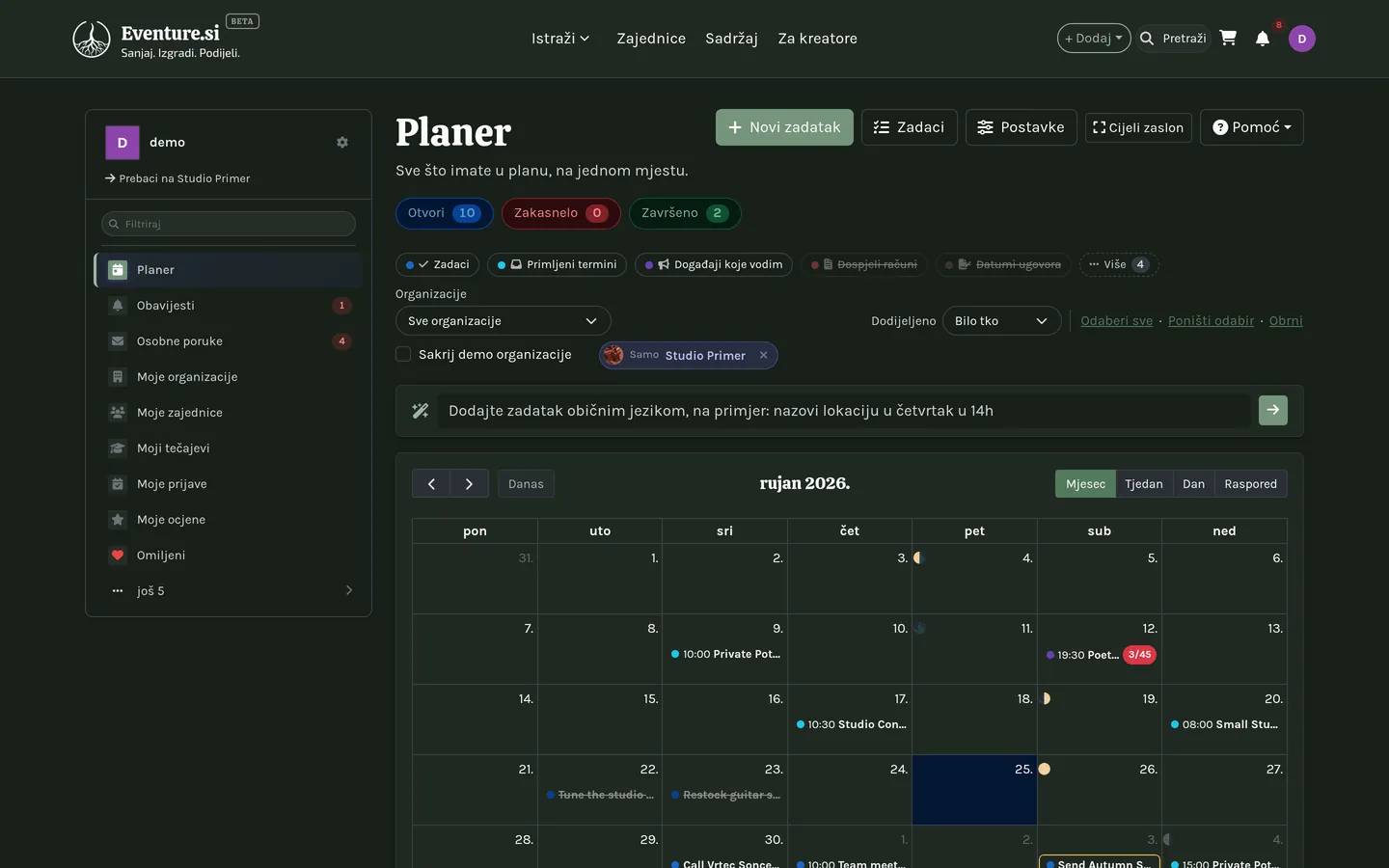
Poglavlje 25
Omiljeno
Omiljeno je jedan popis spremljenog za kasnije, zajednički za svaku vrstu unosa na platformi.
Jedan popis, svaka vrsta unosa
Sve što možete pregledavati na platformi - događaj, proizvod, tečaj, prostor, organizacija - nosi srce koje kliknete da to spremite. Omiljeno sve to skuplja na jednom mjestu, filtrirano po vrsti stvari, pa ne trebate poseban popis spremljenog po značajki.


Dio VII - Kroz sve
Poglavlje 26
Prijevodi
Svako polje u koje pišete pokazuje isti red jezičnih značaka - kliknite jednu da je prevedete ili zadržite pokazivač da vidite što već kaže.
Red značaka ispod svakog polja
Gdje god možete nešto napisati - naslov događaja, pitanje ankete, opis proizvoda, profil vaše organizacije - ispod stoji mali red: najprije vaš jezik, pun plave boje, zatim po jedna značka za svaki drugi jezik vaše stranice. Siva znači da još ništa nije prevedeno; žuta da je prevedeno jednom, ali se izvorni tekst otad promijenio; zelena da je prevedeno i ažurno.
Žuta značka je podsjetnik, a ne nalog za skidanje: posjetitelji na tom jeziku i dalje vide zadnji prijevod koji ste spremili, od riječi do riječi, dok ga klikom ne uskladite. Samo siva značka - još bez ikakvog prijevoda - pada natrag na prikaz vašeg jezika.
Kliknite značku, ili zadržite pokazivač
Siva ili žuta značka je jedan klik: prevede se - ili osvježi - na mjestu, odmah u redu, bez ponovnog učitavanja stranice. Zelena značka otvara mali uređivač ispod polja umjesto da išta prepiše, pa formulaciju možete pročitati ili ručno doraditi; gumb za prepisivanje stoji odmah ondje ako ipak želite svjež strojni prijevod. Najprije zadržite pokazivač nad bilo kojom značkom ako samo želite provjeriti što kaže, kada je prevedeno i tko je preveo, bez diranja.
Sve odjednom
Otvorite red polja i dobijete okvir po jeziku, gumb Prevedi uz svaki i dva prečaca ispod: Prevedi nedostajuće puni samo prazno, Prevedi sve ponovno radi svaki jezik trebao to ili ne. Mala ikona globusa na samom redu isti je prečac za jezike koji nedostaju ili su zastarjeli, bez otvaranja ičega.
Polja s oblikovanim tekstom - ona s alatnom trakom, poput tijela odjeljka u graditelju web stranica - umjesto toga pokazuju jedan jezik odjednom: red jezičnih kartica na vrhu, svaka s točkom u boji značke, a ispod uređivač izabranog jezika pune širine s vlastitim gumbom Prevedi u kutu. Promjena kartice sprema utipkano; strelicama se također krećete među karticama.
Tko prevodi
Prema zadanome svaki klik koristi Google Translate - brzo i besplatno. Ako biste radije da vaše rečenice prevede AI model, sam dijalog prevođenja nudi prebacivanje: imenuje pružatelja kojeg će upotrijebiti, a izbor drugog modela ondje postaje zadan za svaku značku koju otad kliknete.
Plaćeni model troši vaše AI kredite
Google Translate nikad ništa ne košta. Prelazak na plaćeni AI model crpi iz iste zalihe tokena koju dijele vaši drugi AI alati, pa klik ondje nije besplatan kao zadani izbor.

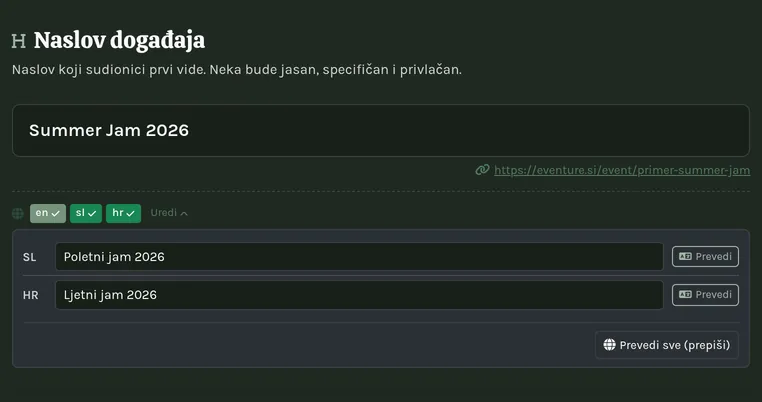
Poglavlje 27
AI asistent
Povežite Claude, ChatGPT ili bilo koji MCP klijent sa svojom organizacijom - stvarajte događaje, objave i ponude samim pitanjem.
Vaša organizacija, iz prozora za razgovor
Eventure isporučuje udaljeni MCP poslužitelj, pa asistent poput Claudea ili ChatGPT-a može izravno djelovati na vašu organizaciju - stvoriti događaj, skicirati objavu, provjeriti tko se prijavio - samo pitanjem običnim jezikom. Potpuno je izborno; ništa na Eventureu to ne treba.
Povezivanje asistenta
Otvorite karticu AI asistent na nadzornoj ploči svoje organizacije ili u bočnoj traci Postavki i kopirajte poveznicu koju pokazuje. Dodajte je kao prilagođeni konektor u postavkama Claudea, ChatGPT-a ili bilo kojeg drugog MCP klijenta, zatim se prijavite kad zatraži - postojećim Eventure računom, ne novom lozinkom.
Još nemate organizaciju ili nekome pokazujete kako radi? Javna stranica MCP konektor (podnožje, stupac Kreiraj, ili /mcp-connector) ima istu poveznicu, korake za Claude i ChatGPT jedan uz drugi te primjere zahtjeva za kopiranje. Za čitanje ne trebate prijavu.
Djeluje kao vi, svugdje gdje ste administrator
Veza nije ograničena na jednu organizaciju s čije ste kartice kopirali poveznicu. Čita svaku organizaciju kojoj pripadate i piše u svaku u kojoj ste vlasnik ili administrator - sve njih, iz te jedne veze.
Što vam može izgraditi
Osim događaja i objava, povezani asistent može voditi cijeli Graditelj web stranica: postaviti stranicu, napisati svaki odjeljak, dodati stranice i izbornik, postaviti boje, fontove, zaglavlje i podnožje, prevesti sadržaj, generirati SEO meta podatke i predati vam privatnu poveznicu za pregled. Vaša stranica ostaje iza stranice "uskoro" dok asistentu izričito ne kažete da objavi - i istim je putem možete vratiti natrag.
Vaš planer i projekti
Ista veza doseže i vaš Planer: pitajte što vas čeka ovaj tjedan, dodajte zadatak ili sastanak, predajte ga suradniku ili ga označite kao obavljenog. Gdje su vam dostupni Projekti, može postaviti i projekt s grupama i težinama, dodati ljude i njihove udjele, postaviti prekretnice, upisati vaše sate ili pokrenuti štopericu, odobriti sate koji čekaju na vas i iz naplativog vremena pripremiti nacrt računa.
Ovdje asistent slijedi ista pravila kao vi, ne vaša administratorska prava: vidi zadatke i projekte koje vidite vi, voditelj grupe upravlja samo svojom grupom, i nitko ne odobrava vlastite sate. Zadatak može dobiti samo suradnik ili netko tko je s vama podijelio svoj planer (u projektu svatko koga stranica projekta dopušta dodati) - za sve ostale asistent odbija i ništa ne sprema. Zadatak ima jednu osobu, pa zahtjev za isti zadatak za više ljudi stvara po jedan zadatak za svakoga. Kad ažuriranje doda nove mogućnosti, konektor jednom prekinite i ponovno povežite da vaša prijava preuzme nova prava.
Vodič za postavljanje
Gumb kartice Preuzmi vodič za postavljanje (.md) sprema jednu datoteku sa svime što vaš asistent treba: korake povezivanja, upute spremne za lijepljenje, referencu svakog alata koji može koristiti, razrađene primjere i početne upite. Dajte tu datoteku asistentu na početku razgovora i znat će alate umjesto da nagađa.
Dozvole i sesije
Jednom povezana, kartica nabraja što je dodijeljeno: broj običnih dozvola i zaseban, zaštićen broj za sve povišeno. Raširite vezu da vidite svaku dozvolu, kada joj sesija istječe (obnavlja se sama) i njezin Client ID - identifikator koji koristi aplikacija koja se povezuje.
Odspajanje
Raširite vezu i pritisnite Odspoji. Pristup prestaje već sljedećim zahtjevom tog asistenta - s vaše strane nema ničega za čišćenje.